

 Resolved by

Is there a way to wait for the end of an audio file from the Soundboard (PC) control? The following code does not wait but instead plays the file and says "done" simultaneously:
ControlCommand("Soundboard (PC)", Track_0)
WaitFor($EZBPlayingAudio = 0)
Say("done")
From my understanding, $EZBPlayingAudio is only applicable to sound coming from the EZB. As such, the following code works because it outputs from the EZB rather than the PC:
ControlCommand("Soundboard (EZB)", Track_0)
WaitFor($EZBPlayingAudio = 0)
Say("done")
Is there an equivalent $EZBPlayingAudio variable for the Soundboard (PC) control?



There isn't a status variable for the soundboard PC at this time. I'll add it to the future todo list
Check the plugin: https://synthiam.com/Products/Manual/AudioToolbox-Plugin-15933
I added the possibility to track the #number of active audio sessions playing, you can track only ARC audio sessions e.g. sound board, text to speech, etc or all processes e.g. another process playing audio.
Let me know if it works for you.
Oh wow ptp that’s great
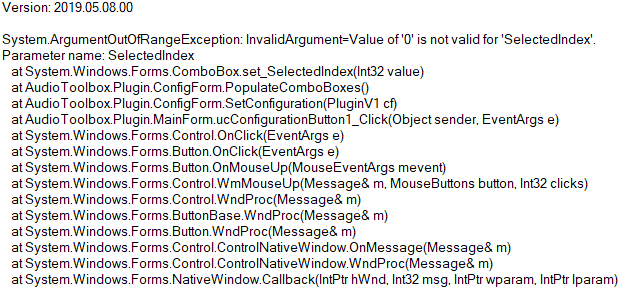
The AudioToolbox plugin looks promising. I managed to import the voices using scripts but I couldn't configure the default devices. When I try to open the plugin I get this error:
@Vincent.J I can't find that method (PopulateComboBoxes) in my code, did you upgrade to the last version #6 ? if you add the plugin to an empty project is your screen similar to this:
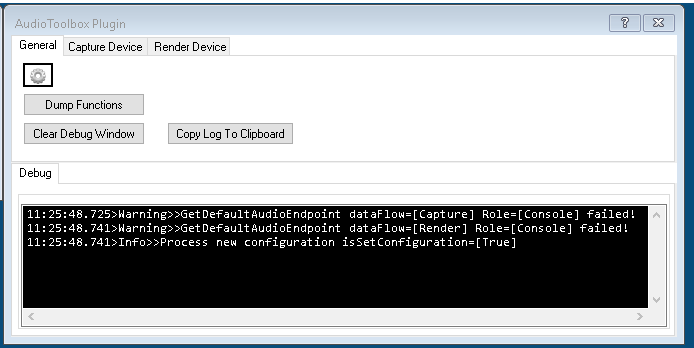
Note 1: warning messages due no mic / speaker devices.@ptp the latest version I see is 5:
and with an empty project it looks like this:
@vincent.j: I uploaded the new version (#6).
@ptp It works, thanks!