
vincent.j
Australia
Asked
 Resolved by ptp!
Waiting For Audio From Soundboard (PC) To Finish
Is there a way to wait for the end of an audio file from the Soundboard (PC) control? The following code does not wait but instead plays the file and says "done" simultaneously:
ControlCommand("Soundboard (PC)", Track_0)
WaitFor($EZBPlayingAudio = 0)
Say("done")
From my understanding, $EZBPlayingAudio is only applicable to sound coming from the EZB. As such, the following code works because it outputs from the EZB rather than the PC:
ControlCommand("Soundboard (EZB)", Track_0)
WaitFor($EZBPlayingAudio = 0)
Say("done")
Is there an equivalent $EZBPlayingAudio variable for the Soundboard (PC) control?
Related Hardware (view all EZB hardware)

JD Humanoid
by EZ-Robot
JD humanoid robot kit - WiFi-enabled, 16 DOF with metal-gear servos; easy, fun, educational, available from the EZ-Robot online store.
Wi-Fi / USB
Servos
24
Camera
Audio
UART
3
I2C
ADC
8
Digital
24
Related Robot Skill (view all robot skills)
Soundboard (PC)
by Synthiam
Play and manage MP3/WAV sound effects from a PC soundboard, load tracks, trigger or script playback (one file at a time), export and automate.

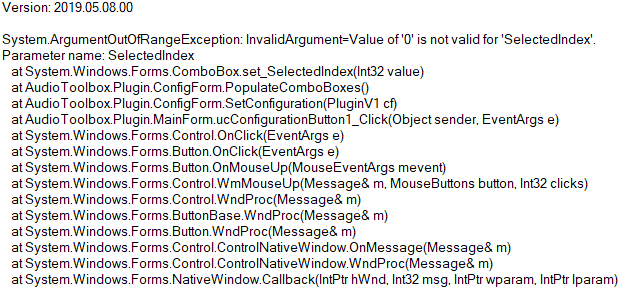
@ptp Actually I've noticed that it occasionally crashes ARC when:
Sometimes it happens on the first time I click Stop but other times, it'll take a while.
Thanks for the feedback. Fixed
Awesome, it's working well now. Thanks