









All Community Content



Drive Real Robots, Anywhere
Remotely operate robots around the world or add live telepresence to your own build — straight from your browser.
Discover Exosphere
Robot Sticker

Hugging Face
Connects your robot camera to Hugging Face AI models for vision chat, object tracking,...

Autonomous AI
Autonomous AI robot agent with vision, speech, movement, animations, memory, and self-directed task...

Advanced Speech Reco…
Azure Cognitive Speech recognition for ARC with custom API credentials, scripting, language control,...

Overlay image packs onto camera feed and map images to control-variable ranges with auto/manual assignment, position and sizing options.
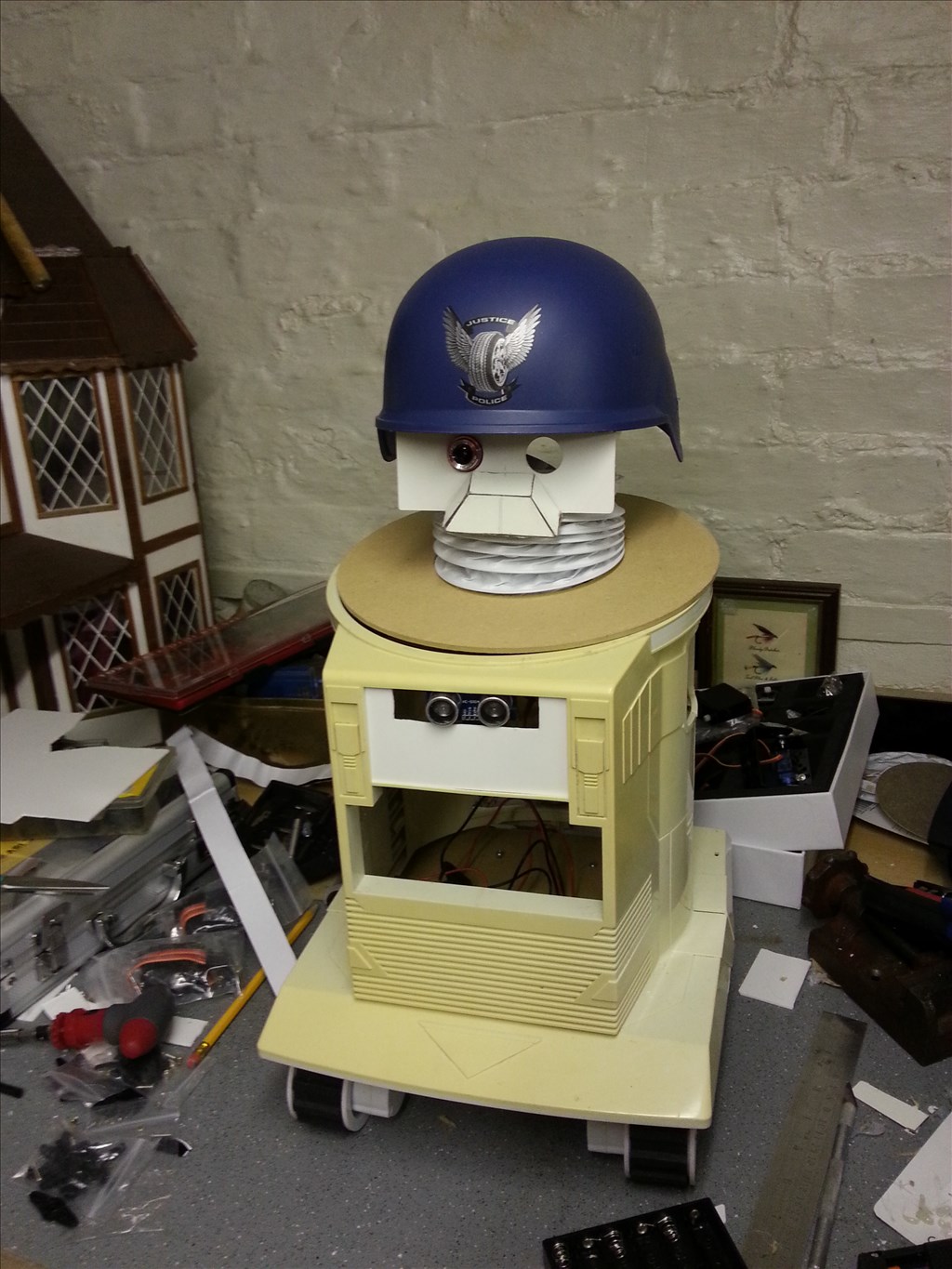
Homebuilt robot Arnie with pan/tilt head that looks around freely; awaiting H-bridge for mobility, plus paint and arms.
Roli's Two Wheel Speed Is Different
I got a problem with Roli. When the Roli make forward, I found that its right wheel moves faster then the left wheel! How can I adjust it to make straight forward? Thanks 5
5
 3 k
3 k
Ez-Camera
can EZ-Camera read the range of the object? because i need to know if the camera can calculate the distance of the object then grab it...
31
9 k

Anyone In London Or England Who Can Help Me?
Hey there everyone, I've been building my first robot for some time now and it's far far far harder than I thought. The programming...
4
3 k
Jd Left Shoulder Broken
The same day I got my revolution jd was the same day his left shoulder servo stopped working . Can you please help? And one note: when I calibrate the servo, it won't work. When I tried rebooting, still wouldn't work. Please help! There is so much it can't do when it's left shoulder won't rotate! Also, I don't want to get any money or payments of...
42
6 k
Brookstone Rover
Hi. I have a brookstone rover v1 and i cant get ezrobot to conect to it. i get this message......EZB 0: EZB 1: EZB 2: EZB 3: EZB 4: 13/03/2015 07:31 - TCP Server stopped 13/03/2015 07:31 - TCP Server stopped 13/03/2015 07:31 - TCP Server stopped 13/03/2015 07:31 - TCP Server stopped 13/03/2015 07:31 - TCP Server stopped 13/03/2015 07:32 - TCP...
7
3 k
Assembling Revolution Jd
I purchased a RevolutionJD yesterday, and I was up till the early hours in the morning putting it together ! I have three Questions Please. Firstly, some of the EZ-Bits do not make a "good" connection. I am afraid to force them together. Secondly, the wiring at the back of my robot is a bit "messy". What is the best way to make...
9
3 k

Hack Me A Rovio Oh Great One
Master DJ, of all the robots out there you have hacked and now work better with your EZ-B board, why have you not hacked the Rovio. I have one and would really like...
19
7 k
Please Help It Is Argent
roli will not move! I tried NEVER THING on this website my teacher my group has tried and we are ready to get rid of him and i do not want to i like robots and a challenge but he is getting on my bad side. stress stress
6
3 k
Oled Displays
Has anyone played with the small (.96") Oled displays Adafruit sells? I like the look of them and would like to use a couple of them for eyes much like the 8x8 leds have been used for. Looks like they will work on the i2c ports?
3
3 k
Helicopter Board To Rc Receiver
Hey guys, I was just thinking about a possible way to make the ez-b controllable via any rc receiver/transmitter. What I would do is wire a 2 motored helicopter recieving board, and would hook the motor line to adc ports on the ez-b. Then, one motor will translate into forward speed, and the other will translate into turning speed and direction....
3
3 k
Help Losing Audio With Speech Recognition
I am having audio problems. When I talk to my robot it recognizes commands ,but after issuing about 5 or 6 verbal commands the audio is no longer there. I have the latest version of ARC. Everything else works. Their is also no audio from speech synthesis..No errors are showing .
1
3 k
Variable $Mmay,Mmaz, Or Mmax Not Defined ?
In the MMA7544 window if wrote balance script with (if )statement example: if ($mmay>90) press run script it stops here saying Variable $mmay not defined Whats really weird is that the whole script ran fine till I saved my file and reopened it an hour later. This is a bug right? this is latest version software 3/7
4
3 k