









All Community Content


Drive Real Robots, Anywhere
Remotely operate robots around the world or add live telepresence to your own build — straight from your browser.
Discover Exosphere
Gaming Mouse Pad

Hugging Face
Connects your robot camera to Hugging Face AI models for vision chat, object tracking,...

Autonomous AI
Autonomous AI robot agent with vision, speech, movement, animations, memory, and self-directed task...

Advanced Speech Reco…
Azure Cognitive Speech recognition for ARC with custom API credentials, scripting, language control,...

Add Google DialogFlow NLP to ARC: conversational intents, parameter prompts, scripted responses, service-account setup and programmatic robot...
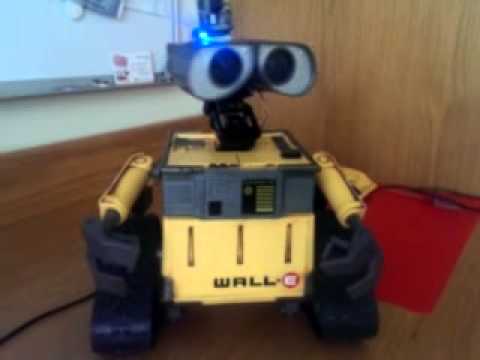
Control Wall‑E with Ez‑B V4 and Ez‑Builder: continuous rotation servos, tracks, WiFi, voice, face tracking, scripting and power troubleshooting

Giant Robot Throwdown
Battle with Japan in one year! Another article. Video The American team. The Japan team. If they are manned robots I hope no one gets hurt. I'd like to see a new competition like... 5
5
 3 k
3 k
Questions About Connecting To Ezb 4
Good day to everyone. I am new to all this, so please excuse any dumb questions. LOL I was trying to connect to my new EZB but was having problems, even watching the videos in the tutorial. I am using a desktop computer connected via a cable to my Router. Can I connect this way or do I have to install a wifi adapter on my PC? I saw in posts when...
10
4 k
Iphone Sensor Stream/Mpu9150.Anything Else As Good As The Phone Data?
I really like the stability of the heading data from the sensor stream which is perfect for my application. Are there any compass boards that do as well as the iphone for stability? I tried the little MPU9150 and the numbers are all over the place. Thanks, Dave
6
2 k
Display Ez-B V4 Info On Lcd Display
Any ideas in how can I display my v4's CPU temp and battery voltage on an LCD05 16x2 display? I looked for possible variables to do something like the following but couldn't find any... #NOTE: Non working code's for example #purposes only i2cwrite(0,0xc6,0,1,4,12,19,30,230,31,255,"CPU temp is " + $CPUtemp) #or...
8
4 k

Wldfire's First Real Robot Build :)
19DOF robot with EZ-B V4, camera and 4n1 sensor: braided wiring, 3D-printed JD head, battery-sandwiched feet for low-center stability and runtime
4
4 k
My Sharp Ir Not Compatible With Radar :/
Hello everyone! I have a sharp GP2D120 that sends voltage between 0 V and 2.88 V depending on the distance of the obstacle. But the sharp IR radar seem sensible only from about 3.50 V ,so i never see the red dot because 2.88V in ADC read = distance:101 in the IR Radar windows confused I have to use another sensor or I can add a small circuit to...
13
4 k
Stem's File Was Over Witten By Accident With A New File
Urgent solutions and practical remedies to quickly resolve critical issues and restore functionality
6
2 k
Interesting Product
https://www.facebook.com/golightfreq?fref=ts I have a question out to them as to if they have an API and if the software that controls this is available for windows. This could be the answer to a whole house mic system.
8
3 k
Ez-Mip Almost Reddy
just waiting for the arms ,inverted pendulum and maybe ping sensor. the arms arive monday.i think i can move the mip just with his head. head forwart mip will go forwart,same for backwarts.
11
4 k
Have To Take Some Time Of
wel.. first the good news .tomorow friday two orders will arive for , finiching the ez mip,still need to wait for the inverted pendulum. bad news now.i have to go to hospital.have bad blood values. and a blood cloth is forming,so it will be bad few weeks. hope not to long.nothing to do with robots. tired david cohran if you have some time for me on...
26
5 k
Ultra Sonic Sensor Script
Hello, i need help for a script for the Ultrasonic Sensor. How i can make a script for diffrent commands on diffent distances? My exampel Script :loop $proxclose = 30 $proxsense = GetPing(D21,D22) IF($proxsense < $proxclose) SayEZB("You are to near") EndIf $proxclose = 100 $proxsense = GetPing(D21,D22) IF($proxsense < $proxclose)...
5
3 k
Fytclub's I Travel For Work But Have Pet
Robot pet sitter finds pets via collar tracker, performs remote checks, dispenses food and water, and self-charges for multi-day trips.
0
2 k