
Change Release Notes
This is a pretty big release update, as it includes a significant rewrite of the EZ-Script parser. I've ran a kabazillion use-case tests, which means it should be okay. If not, let me know what experiences you have
For example, you can do some pretty bizarre things with escape characters now...
clearvariables()

$p="asfsdf\"asfdfdsf"

print($p)

$p = "abc\"de(f$l" + "gh\"ij"

print(length($p))

$p = $p + "af(d\"sfE22 $p(" + $p

print($p)

# array

definearray($array, 10)
$array[0] = "hello"
$array[1] = "\""
$banana = $array[0] + $array[1]

print($banana)

# new line

$popper = "hello\r\nWorld"

print($popper)

FileWrite("c:\temp\rest.txt", $popper)

$line1 = split($popper, "\r", 0)
print($line1)

$line2 = split($popper, "\r", 1)
print($line2)
Secondly, there's a re-write for continuous rotation servos to include speed control. This means your Continuous rotation Movement Panel will be slightly different, now including two speed dials for each wheel.
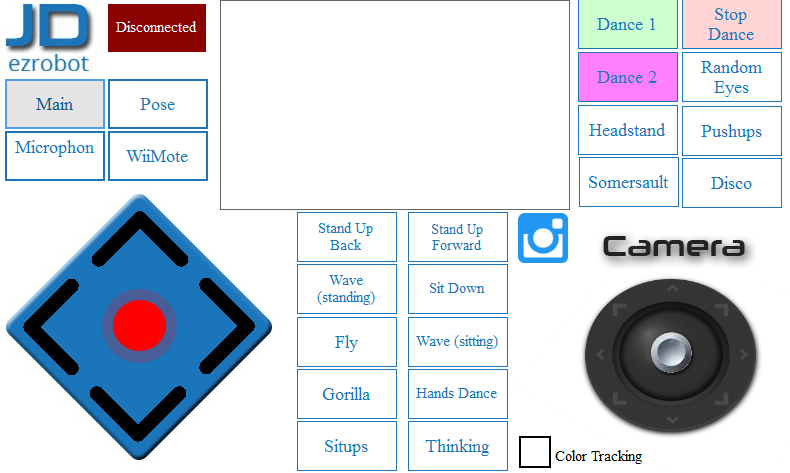
The mobile interface includes a joystick and servo pad as well, which won't be viewable on your mobile devices until both Android and iOS have been approved by the respective AppStores (1 or 2 days)
fix Parenthesis in string error. If a string contained something like "Hello(" it would return an error because the parser thought Hello( was to be a function
latest EZ-Script compiler that supports escaped characters of " \r \n and fixes a bunch of things like "df()" and "E22"
Servo Pad uses a joystick control in mobile
new mobile control for Joystick with analog speed adjustment for movement controls that support speed
speed control for continuous rotation servos and the respective movement panel
Updated JD, Roli & AdventureBot projects to use latest Mobile Interface Joystick control
New EZ-Script command: MAP() which will make an input value to a specific range
ARC Downloads
ARC
FREE- 1 third-party plugin skill per project
- Trial cloud services
- Personal, DIY & education use
- Updated every 6–12 months
 Download
ARC
PRO- Use on 2+ PCs simultaneously
- Unlimited robot skills
- Cloud backup & revision history
- Weekly features & bug fixes
- Business use permitted
ARC
RUNTIME- Load & run any ARC project
- Read-only mode
- Unlimited robot skills
- Includes early access fixes & features
- Minimum requirements: Windows 10 or higher, 2 GB RAM, 500 MB free disk space.
- Recommended: Windows 10 or higher, 8 GB RAM, 1 GB free disk space.
- Prices are in USD.
- More about each edition: Download & install guide.
- Latest changes: Release notes.
Compare Editions
| Feature |
ARC
FREE
|
ARC
PRO
|
|---|---|---|
| Get ARC Free | View Plans | |
| Usage | Personal · DIY · Education | Personal · DIY · Education · Business |
| Early access to new features & fixes | — | ✓ |
| Simultaneous microcontroller connections * | 1 | 255 |
| Robot skills * | 20 | Unlimited |
| Skill Store plugins * | 1 | Unlimited |
| Cognitive services usage ** | 10 / day | 6,000 / day |
| Auto-positions gait actions * | 40 | Unlimited |
| Speech recognition phrases * | 10 | Unlimited |
| Camera devices * | 1 | Unlimited |
| Vision resolution | max 320×240 | Unlimited |
| Interface builder * | 2 | Unlimited |
| Cloud project size | — | 128 MB |
| Cloud project revision history | — | ✓ |
| Create Exosphere requests | — | 50 / month |
| Exosphere API access | — | Contact Us |
| Volume license discounts | — | Contact Us |
| Get ARC Free | View Plans |
* Per robot project
** 1,000 per cognitive type: vision recognition, speech recognition, face detection, sentiment, text recognition, emotion detection, azure text to speech

Upgrade to ARC Pro
Take control of your robot's destiny by subscribing to Synthiam ARC Pro, and watch it evolve into a versatile and responsive machine.
just to let you know that the Windows Apps store is still dispensing 2016.10.18.00 but that is OK as that version offers an update to the current version
@DJ Sures Thanks for the analog joystick feature on Mobile. Makes driving my Adventure Bot a lot more smooth.
Just to clarify. is it true that this works with the Continuous servo Movement Panel, but NOT the Custom Movement Panel?
Not a complaint, I just want to clarify
Thanks again, Frank
It works with any control that has a SPEED parameter.
If you use the custom movement panel, you are responsible to create code for the movements. Your code can (if you wish) use the speed value. It's up to your code if you wish to use the speed values.
You can choose how to incorporate speed control in your code and get the current speed using the available functions..