
Change Release Notes
We wouldn't have the world's leading robot control software without innovation. Today, we introduce a fantastic new feature that will leverage your EZ-Robot's ability. Are you ready?
Fix for some windows installations not continueing speech recognition after speaking (i.e. SayWait(), Say())
Firmware Update displays additional logging information for debugging users who don't follow the tutorial to use microsoft native bluetooth stack
Smart Motion Delay. Pauses specified number of frames between detection. Very useful to maintain motion tracking by not attempting to detect during camera movement. Specify the number of frames to delay to allow your camera to move.
Camera Overlay has a larger default font. Right Click, Add Overlay on the Camera Preview image and the default font is larger.
Frame Speed is displayed in Tracking Speed Adjustment. You can adjust the frame speed with the slider. Now the frame speed is displayed in ms. You can also diagnose how fast your computer is at processing different tracking methods.
Drum Roll Multi Color Tracking
Introducing Multi Color Tracking! This new feature allows you to tune into a specific color for tracking and recognition. You can add as many colors as you wish, giving each a unique label that can be determined by a global variable.
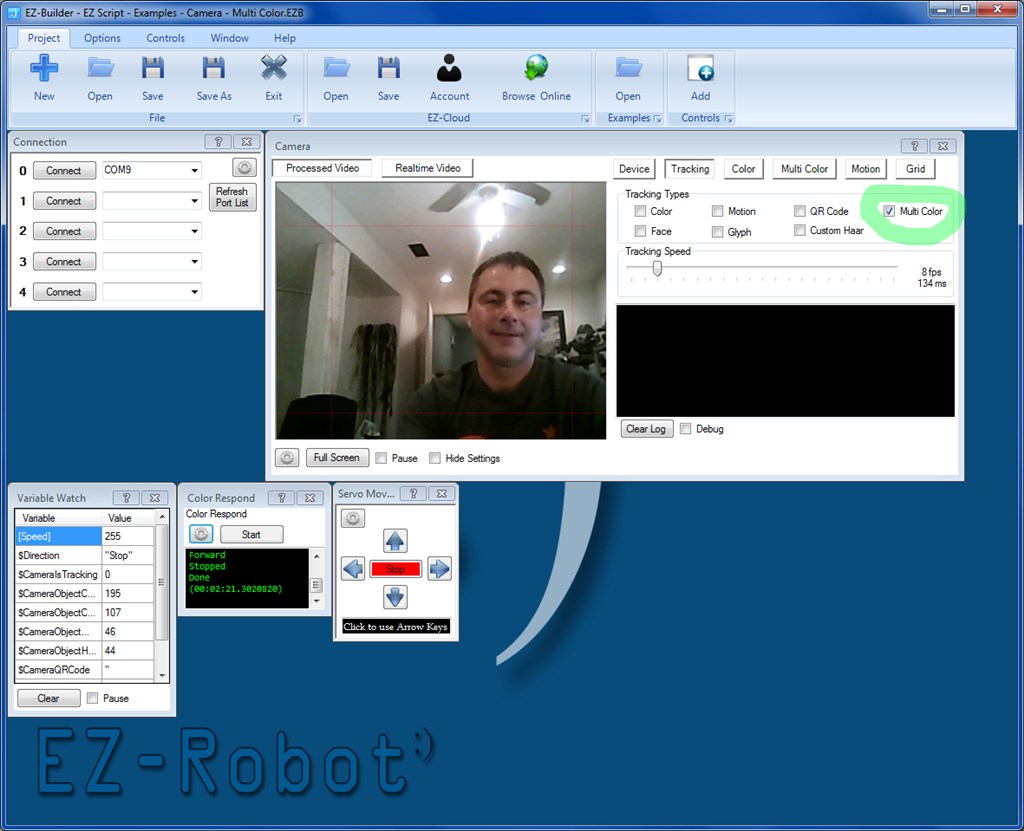
The new Multi Color Tracking Type can be selected from the Tracking Type list
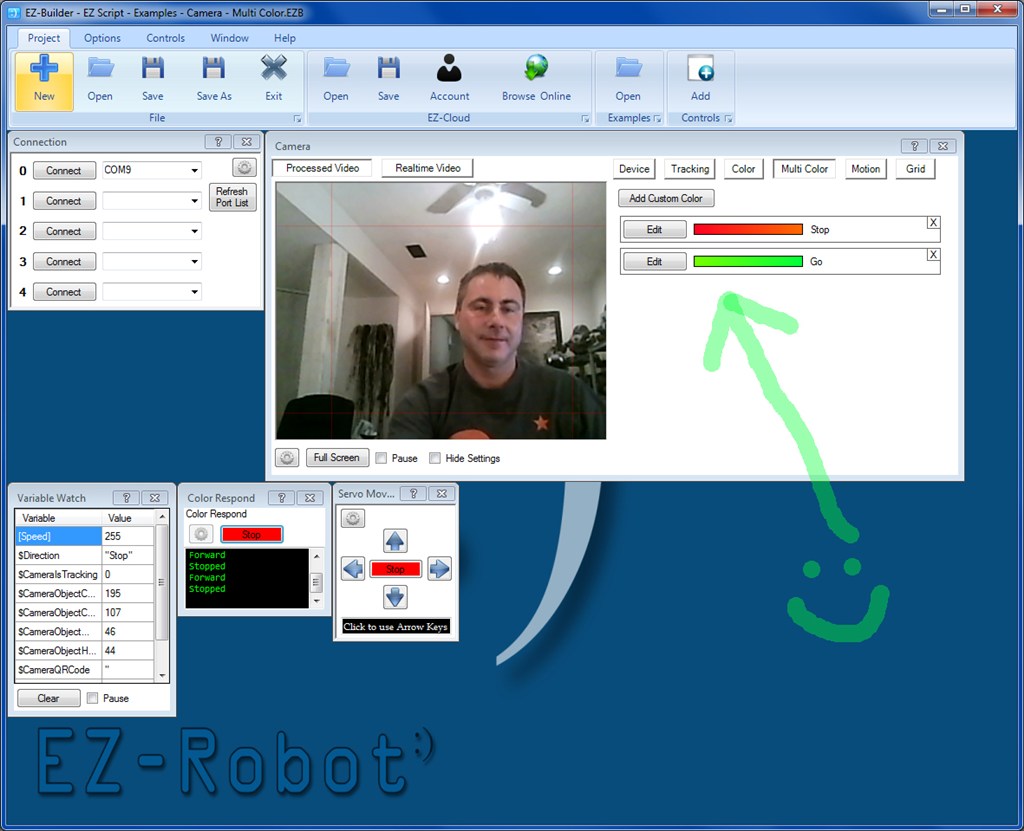
The Multi Color tab will display the selected color ranges and their name. You may also Add or Remove colors from this screen.
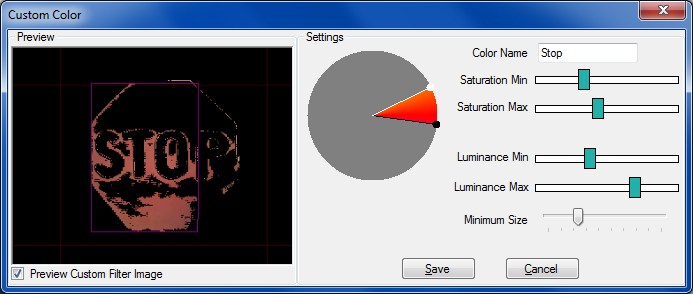
When editing a color, you can use the color wheel to isolate a specific range. Then use the Min and Max values for Saturation and Luminance to isolate the object color. When creating your own color filter, you will need to ensure no other objects are detected within the color range you specify. It's tricky, but start by isolating the color wheel first. Then slowly move the Min and Max values toward each other until only the object is recognized.
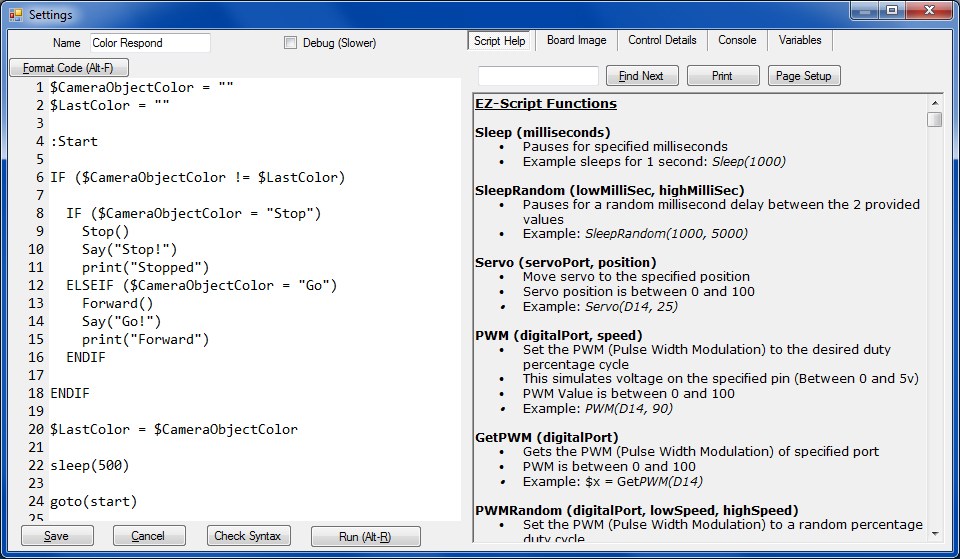
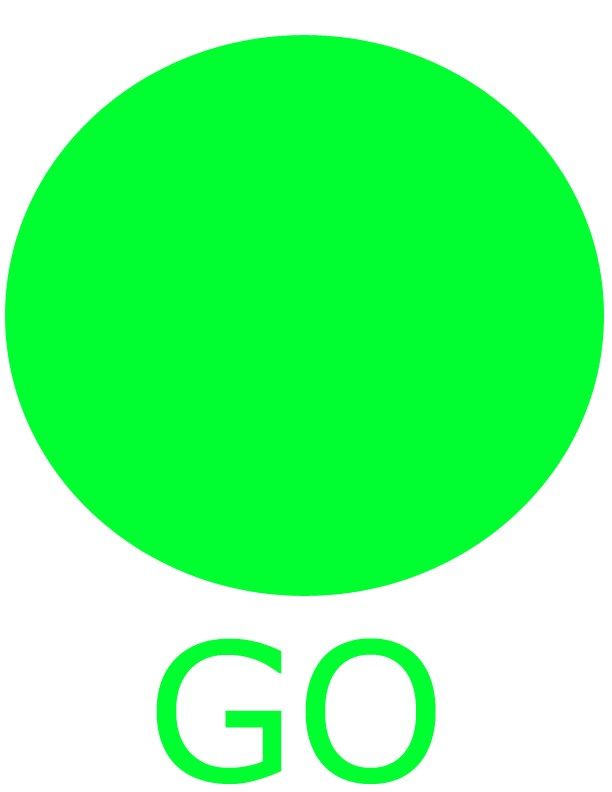
I created an Example Project... Examples -> EZ Script - Examples - Camera - Multi Color. This contains isolated colors for a Stop and Go sign. The code below will Stop() and Forward() your robot based on the color it detects. The signs are below in this post.
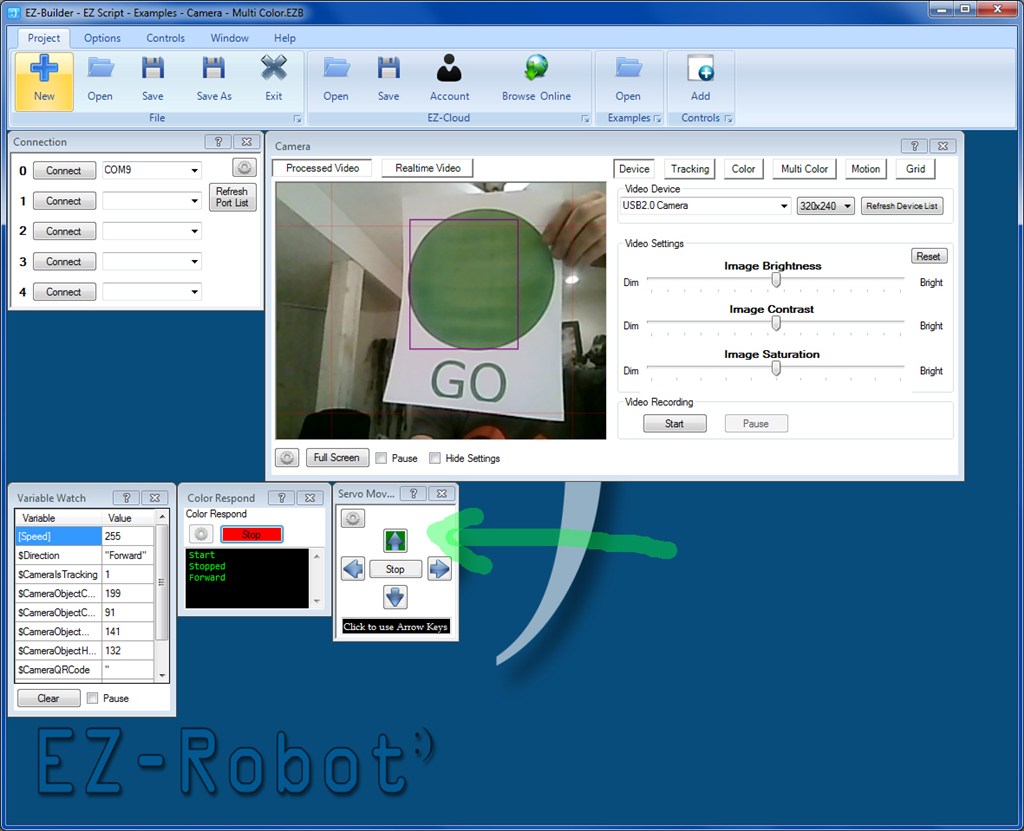
This is an example of the robot moving forward by recognizing the green go sign. Notice how the FORWARD button is highlighted on the Modified servo Movement Panel.
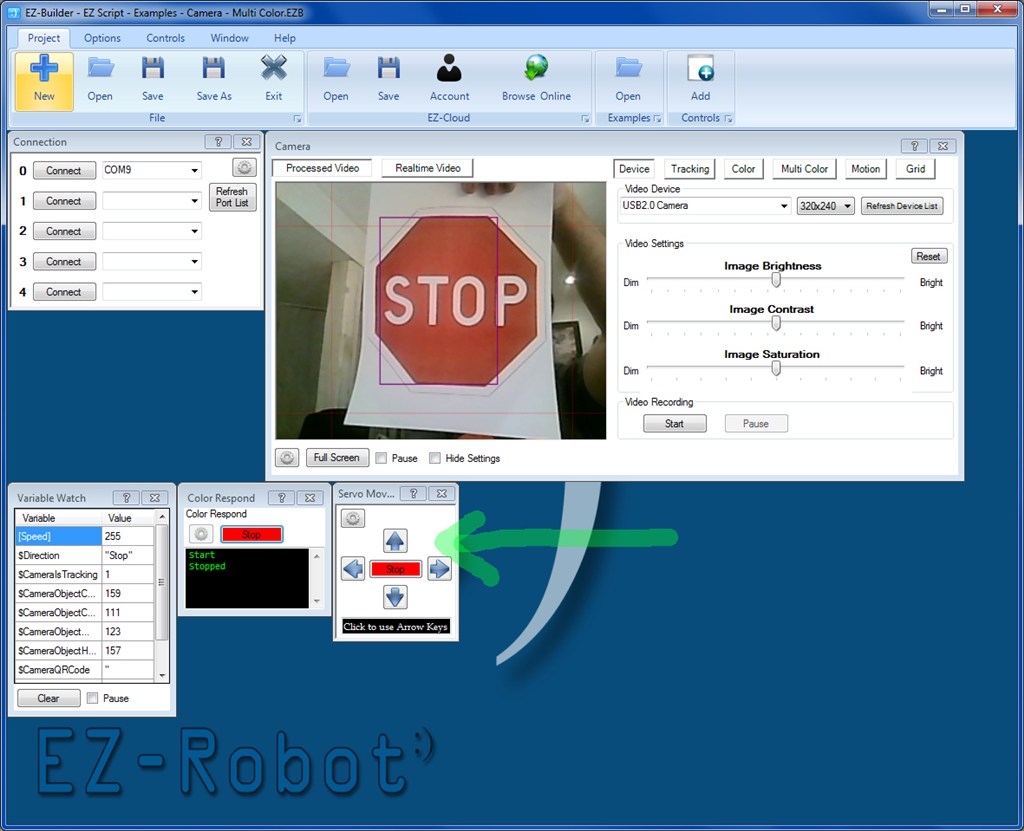
This is an example of the robot stopping by recognizing the red stop sign. Notice there are no highlighted directions on the Modified servo Movement Panel.
Stop Sign

Go Sign
ARC Downloads
ARC
FREE- 1 third-party plugin skill per project
- Trial cloud services
- Personal, DIY & education use
- Updated every 6–12 months
 Download
ARC
PRO- Use on 2+ PCs simultaneously
- Unlimited robot skills
- Cloud backup & revision history
- Weekly features & bug fixes
- Business use permitted
ARC
RUNTIME- Load & run any ARC project
- Read-only mode
- Unlimited robot skills
- Includes early access fixes & features
- Minimum requirements: Windows 10 or higher, 2 GB RAM, 500 MB free disk space.
- Recommended: Windows 10 or higher, 8 GB RAM, 1 GB free disk space.
- Prices are in USD.
- More about each edition: Download & install guide.
- Latest changes: Release notes.
Compare Editions
| Feature |
ARC
FREE
|
ARC
PRO
|
|---|---|---|
| Get ARC Free | View Plans | |
| Usage | Personal · DIY · Education | Personal · DIY · Education · Business |
| Early access to new features & fixes | — | ✓ |
| Simultaneous microcontroller connections * | 1 | 255 |
| Robot skills * | 20 | Unlimited |
| Skill Store plugins * | 1 | Unlimited |
| Cognitive services usage ** | 10 / day | 6,000 / day |
| Auto-positions gait actions * | 40 | Unlimited |
| Speech recognition phrases * | 10 | Unlimited |
| Camera devices * | 1 | Unlimited |
| Vision resolution | max 320×240 | Unlimited |
| Interface builder * | 2 | Unlimited |
| Cloud project size | — | 128 MB |
| Cloud project revision history | — | ✓ |
| Create Exosphere requests | — | 50 / month |
| Exosphere API access | — | Contact Us |
| Volume license discounts | — | Contact Us |
| Get ARC Free | View Plans |
* Per robot project
** 1,000 per cognitive type: vision recognition, speech recognition, face detection, sentiment, text recognition, emotion detection, azure text to speech

Upgrade to ARC Pro
Become a Synthiam ARC Pro subscriber to unleash the power of easy and powerful robot programming
Awsome, just keeps getting better and better. Alot of uses for this upgrade.
Exponential improvements! Tracking multiple colors will give much play.
Hello, I update for 2013.03.04 and i have a problem with cam. Realtime Video is ok but Processed Video is black.
Same problem if use my Microsoft Life Cam.
My firmware is V16
Thanks :-)
@Clode, interesting - i wonder why. Are there any messages in the Debug Control?
Oh, yes i have error message in the debug control !
Problem with low memory :-( i use Windows Vista with 2 Go.
Thanks !