Change Release Notes
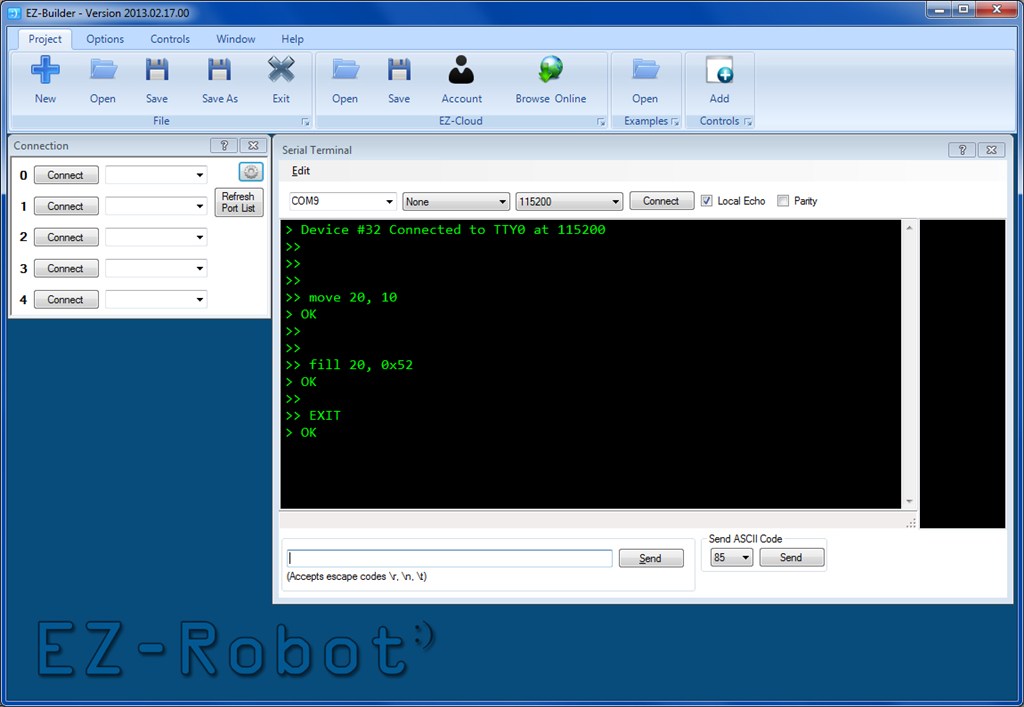
I was trying to debug a serial LCD, and then another serial device when I realized there aren't many good Serial Terminals available. So I made one, and here it is in this latest release of ARC.
- New Control: Terminal
ARC Downloads
ARC
FREE
$0
always free
- 1 third-party plugin skill per project
- Trial cloud services
- Personal, DIY & education use
- Updated every 6–12 months
 Download
Recommended
ARC
PRO
$8.99
per month
- Includes ARCx for Windows, Linux & Pi — built for enterprise & industry
- Use on 2+ PCs simultaneously
- Unlimited robot skills
- Cloud backup & revision history
- Weekly features & bug fixes
- Business use permitted
ARC
RUNTIME
$0
always free
- Load & run any ARC project
- Read-only mode
- Unlimited robot skills
- Includes early access fixes & features
- Minimum requirements: Windows 10 or higher, 2 GB RAM, 500 MB free disk space.
- Recommended: Windows 10 or higher, 8 GB RAM, 1 GB free disk space.
- Prices are in USD.
- More about each edition: Download & install guide.
- Latest changes: Release notes.
Compare Editions
| Feature |
ARC
FREE
|
ARC
PRO
|
|---|---|---|
| Get ARC Free | View Plans | |
| Usage | Personal · DIY · Education | Personal · DIY · Education · Business |
| Early access to new features & fixes | — | ✓ |
| Simultaneous microcontroller connections * | 1 | 255 |
| Robot skills * | 20 | Unlimited |
| Skill Store plugins * | 1 | Unlimited |
| Cognitive services usage ** | 10 / day | 6,000 / day |
| Auto-positions gait actions * | 40 | Unlimited |
| Speech recognition phrases * | 10 | Unlimited |
| Camera devices * | 1 | Unlimited |
| Vision resolution | max 320×240 | Unlimited |
| Interface builder * | 2 | Unlimited |
| Cloud project size | — | 128 MB |
| Cloud project revision history | — | ✓ |
| Create Exosphere requests | — | 50 / month |
| Exosphere API access | — | Contact Us |
| Volume license discounts | — | Contact Us |
| Get ARC Free | View Plans |
* Per robot project
** 1,000 per cognitive type: vision recognition, speech recognition, face detection, sentiment, text recognition, emotion detection, azure text to speech

Upgrade to ARC Pro
Discover the limitless potential of robot programming with Synthiam ARC Pro – where innovation and creativity meet seamlessly.
To send serial commands, use the EZ-Script command "SendSerial()"
Otherwise, the terminal is for communication to TTL devices for configuration
Thursday, 21 February 2013
Good Morning DJ !
Thank You Again & I Like Serial Terminal On The ARC Screen as part of your Roomba Routine.
I need to learn how to use it ?
[email protected], 602-246-1246(H)