
ARC 2026.04.14.01 (Pro, Runtime And Free)
Change Release Notes
This update is one of those "you don’t realize how much better things feel until everything just works" releases. Packed with stability fixes, smarter behavior, and quality-of-life upgrades across the board, ARC just got a whole lot more reliable (and a bit more clever too).
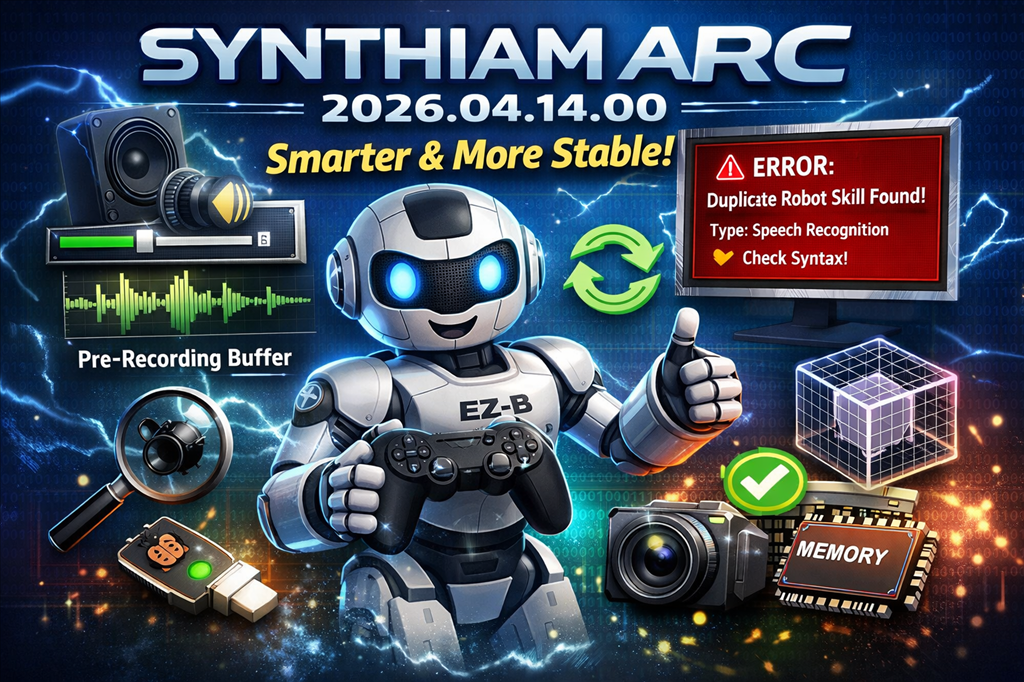
Smarter Controls & Input Handling
Joystick robot skill is now way more resilient
- Proper disconnect/reconnect detection with clean logging
- No more deadlocks - the loop always resets correctly
- Improved bounds checking (no more weird early exits)
Audio Gets an Upgrade
Adjust EZB audio volume live during playback
Volume now safely clamps (no more zero-volume weirdness)
Soundboard:
- Toggle whether scripts run during playback directly from the UI
Bing Speech Recognition:
- Added pre-buffer audio recording option in config menu
- Capture audio before the trigger fires (great for VAD wake-word scenarios)
Smarter Error Handling (and way better debugging)
ControlCommand system now gives detailed, actionable errors:
- Detects duplicate robot skills
- Shows robot skill type
- Points you to the manual when syntax is wrong
Improved exception handling across UI events
Speech recognition:
- Gracefully handles systems with no recognizers installed
- Less errors in logs - just clean fallback behavior
Camera & Vision Stability
Fixed rare error in Camera Training popup
- Safe handling of UI/thread timing race conditions
Quietly ignores harmless disposal timing issues while still logging real errors
UI & WinForms Stability Fixes
- Fixed a nasty font autoscale error when dynamically adding controls
- Improved theme consistency when generating UI elements
- Eliminated PictureBox error caused by GDI+ edge cases
- General UI event handling is now more robust and fault-tolerant
Memory & Resource Fixes (Big Ones)
Fixed GDI+ bitmap handle leak
- Prevented eventual "out of memory" errors after long sessions
Optimized large 3D model loading:
- Dramatically reduced memory spikes
- Eliminated errors when parsing large XAML meshes
Connectivity & Device Behavior
Joystick device driver now:
- Logs disconnect once (no spam)
- Recovers cleanly on reconnect
EZB audio improvements ensure smoother runtime control
General Improvements
- More consistent disposal patterns (no lingering event handlers)
- Better internal logging across multiple subsystems
- Numerous behind-the-scenes fixes that improve long-term stability
The Big Picture
This release focuses heavily on real-world reliability:
- Fewer errors logged
- Better recovery from edge cases
- More useful debugging info when something does go wrong
In short: ARC is now tougher, smarter, and more predictable - exactly what you want when building serious robots.
If you’ve ever had something "just randomly break" this update is for you.
ARC Downloads
ARC
FREE- 1 third-party plugin skill per project
- Trial cloud services
- Personal, DIY & education use
- Updated every 6–12 months
 Download
ARC
PRO- Use on 2+ PCs simultaneously
- Unlimited robot skills
- Cloud backup & revision history
- Weekly features & bug fixes
- Business use permitted
ARC
RUNTIME- Load & run any ARC project
- Read-only mode
- Unlimited robot skills
- Includes early access fixes & features
- Minimum requirements: Windows 10 or higher, 2 GB RAM, 500 MB free disk space.
- Recommended: Windows 10 or higher, 8 GB RAM, 1 GB free disk space.
- Prices are in USD.
- More about each edition: Download & install guide.
- Latest changes: Release notes.
Compare Editions
| Feature |
ARC
FREE
|
ARC
PRO
|
|---|---|---|
| Get ARC Free | View Plans | |
| Usage | Personal · DIY · Education | Personal · DIY · Education · Business |
| Early access to new features & fixes | — | ✓ |
| Simultaneous microcontroller connections * | 1 | 255 |
| Robot skills * | 20 | Unlimited |
| Skill Store plugins * | 1 | Unlimited |
| Cognitive services usage ** | 10 / day | 6,000 / day |
| Auto-positions gait actions * | 40 | Unlimited |
| Speech recognition phrases * | 10 | Unlimited |
| Camera devices * | 1 | Unlimited |
| Vision resolution | max 320×240 | Unlimited |
| Interface builder * | 2 | Unlimited |
| Cloud project size | — | 128 MB |
| Cloud project revision history | — | ✓ |
| Create Exosphere requests | — | 50 / month |
| Exosphere API access | — | Contact Us |
| Volume license discounts | — | Contact Us |
| Get ARC Free | View Plans |
* Per robot project
** 1,000 per cognitive type: vision recognition, speech recognition, face detection, sentiment, text recognition, emotion detection, azure text to speech

Upgrade to ARC Pro
ARC Pro is your gateway to a community of like-minded robot enthusiasts and professionals, all united by a passion for advanced robot programming.
I notice that when I start Synthiam/ARC it asks me if I want to upgrade to the latest version which is 2026.04.16.01, but I don't see any release notes for that version, the last set of release notes are dated 2026.04.14.01(this one). Is 2026.04.16.01 a valid release? Just haven't seen the team release a new version without notes.
Looking at the internal notes, it was a minor update that fixed an installer issue and has no significant changes.
LOL! I was wondering the same thing. Thanks for the explanation. @dbeard beat me to asking the question.
Nice updated! I love it when one is released. Thanks again!!!
Yesterday I had (ARC 2026.03.23.00) and when prompted I let the ARC app upgrade to this version (it showed it was going to upgrade to ARC 2026.04.14.01) and once the upgrade and installation was complete, I encountered an error that did not let the app open and run correctly. The error was (Could not load file or assembly 'CefSharp.Core.Runtime.dll' or one of its dependencies. The specified module could not be found.) And a reboot did not fix the error.
I solve it by manually downloading ARC Pro 2026.04.16.01 and selecting "repair" when running the installation. After that ARC ran as expected.
I'm not sure why my ARC 2026.03.23.00 thought ARC 2026.04.14.01 was the latest when ARC 2026.04.16.01 was already out yesterday on 4.28.2026.
Oooh boy sounds like a corrupted download, maybe. Or windows just messed up the installation haha. Over the years I’ve seen windows do some weird stuff. But lately with all these broken updates, it’s been a nightmare. Haha