

Variable Watch icon Variable Watch Live view of script variables, types, sizes and values for debugging; auto-refresh, hex view, pause/clear; may affect program performance. Try it →
Tutorial
Published — Updated

The Robot Program Episode 003: Getting JD To Move

Step 13 of 21
Step 12

There are many available controls in the Example Project. Scroll through the Auto Position actions to select the Wave command. Click the Execute button.
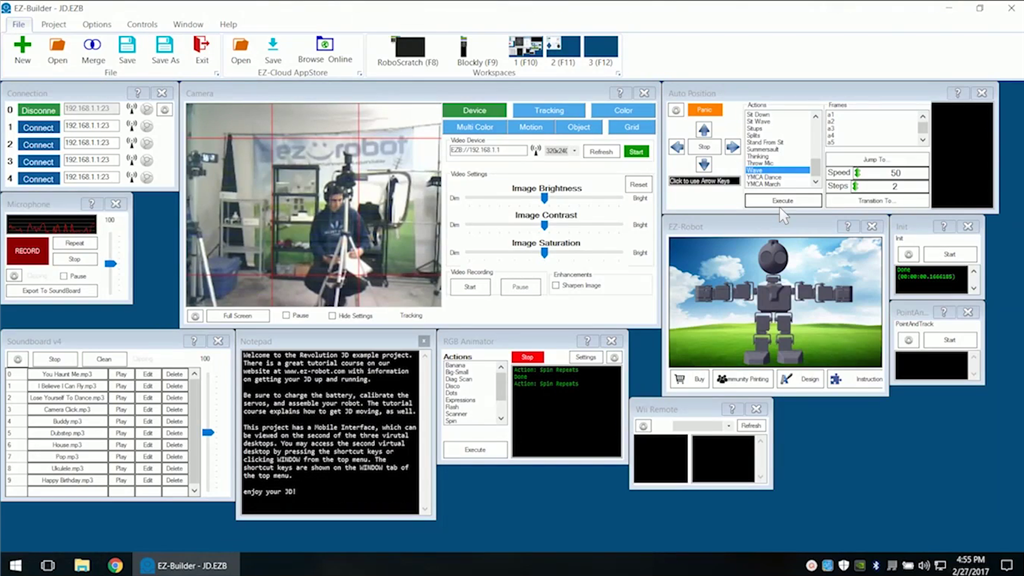

User-inserted image


ARC Pro

Upgrade to ARC Pro

Your robot can be more than a simple automated machine with the power of ARC Pro!