
olusisi1
USA
Asked
— Edited
can you tell me the full details of how you built your wall-e
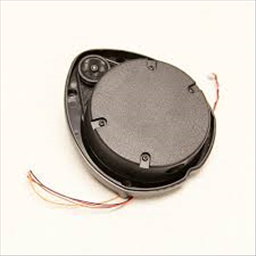 XV11 LIDAR
— Real-time 2D mapping from Neato XV-11 360° LIDAR via GetSurreal controller; exports $LIDARDistance/$LIDARIntensity, configurable angles, color, zoom.
Try it →
XV11 LIDAR
— Real-time 2D mapping from Neato XV-11 360° LIDAR via GetSurreal controller; exports $LIDARDistance/$LIDARIntensity, configurable angles, color, zoom.
Try it →
can you tell me the full details of how you built your wall-e

Have a look at DJ's Wall-E
Also, have a look through the project showcase at other Wall-Es, there are a lot around which you can use for inspiration.
Welcome Everyone on the forum will help you as much as possible. You will have to look at some of the tutorial videos to get ideas of where things are mounted. Like @Rich says, there are some great threads already created for other Wall-e's. The main tool you will need is a Dremel (or otherwise called a rotary tool). You don't need to get a Dremel brand, as they are a bit expensive. Knock off one's work great too!
Also you will need a hot glue gun. It's great to use because it can be removed with a little dab of rubbing alcohol, wait 5 or 10 minutes... and voila! The hot glue separates and you're good to go
Here is another one for your reference: Louis's Wall-E
Good luck!
That's probably my favourite Wall-E on here (but the others are great too!)
Good Morning @Rich !
May I please have your Email ?
Thank You, [email protected], 602-246-1246(H)
[email protected]
hey i'm twelve, almost thirteen and I got half way through my wall-e before I broke the track off(oops). I made 2 posts. will post later. ez-robot seems to have the community down currently so ill probably be the last post.
my website: technopro.fun.to it should work