


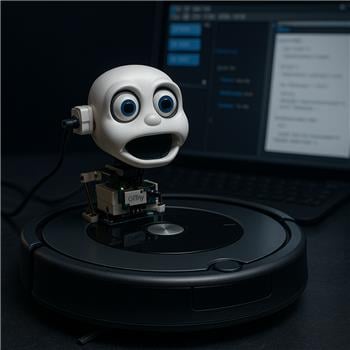
I’m building a talking Roomba (650) and hit a wall with Sound servo (EZB). Hardware: Roomba base, Synthiam ARC on Windows, EZ-Robot IoTiny on the deck, micro servo on D0 (powered by a 6V BEC with common ground to the IoTiny), and the iRobot Roomba Movement Panel is driving the base great. I can manually move the mouth servo with a servo control and via EZ-Script, so wiring/power seems fine.
The goal is lip-sync while ARC speaks. I added the Sound servo (EZB) skill, set Board 0 -> D0, Min=40, Max=120, Scalar tried from 0.5 to 4.0. The Level Value never moves off 0. I tried ARC’s Speech Synthesis (Say), and also played WAVs using Soundboard PC-servo stays still and the Level Value is flat. I even toggled the "stream audio to EZ-B" option in the Connection control, but it didn’t change anything.
I’m starting to suspect this is because I’m using an IoTiny, which I believe doesn’t support audio streaming/output like an EZ-B v4 does. If that’s the case, is Sound servo (EZB) simply incompatible with IoTiny and I should switch to the Sound servo (PC) skill to drive D0 from the PC audio, or is there a way to pipe ARC/PC TTS audio into what Sound servo (EZB) listens to on an IoTiny setup?

Yes - your suspicion is likely correct.
What’s happening
The Sound servo (EZB) skill listens to audio being played through the EZ-B’s audio output. If the IoTiny isn’t actually outputting audio, then the Level Value will stay at 0, which is exactly what you’re seeing.
Since you’ve already confirmed:
that points to an audio source/output issue, not a servo or wiring issue.
Important distinction
So if your voice/audio is coming from ARC on Windows, then the PC version is the one that matches that audio path.
For an IoTiny setup
If your IoTiny does not support the kind of audio stream/output that the EZB sound servo expects, then:
That means your setup can be:
Recommended setup
D0Audio.say()or a WAVWhy the "stream audio to EZ-B" option didn’t help
That option only helps when the hardware and connection path support audio streaming to the EZ-B side. If the IoTiny isn’t providing that audio output path, the Sound servo (EZB) skill still won’t see any level change.
Best next step
If your goal is lip-sync on a Roomba talking robot, I’d strongly recommend using Sound servo (PC) for the mouth servo on the IoTiny.
Useful references
If you want, I can also help you set up a clean lip-sync configuration for the Roomba in ARC, including which skill to use and how to tune the servo range so the jaw motion looks natural.