


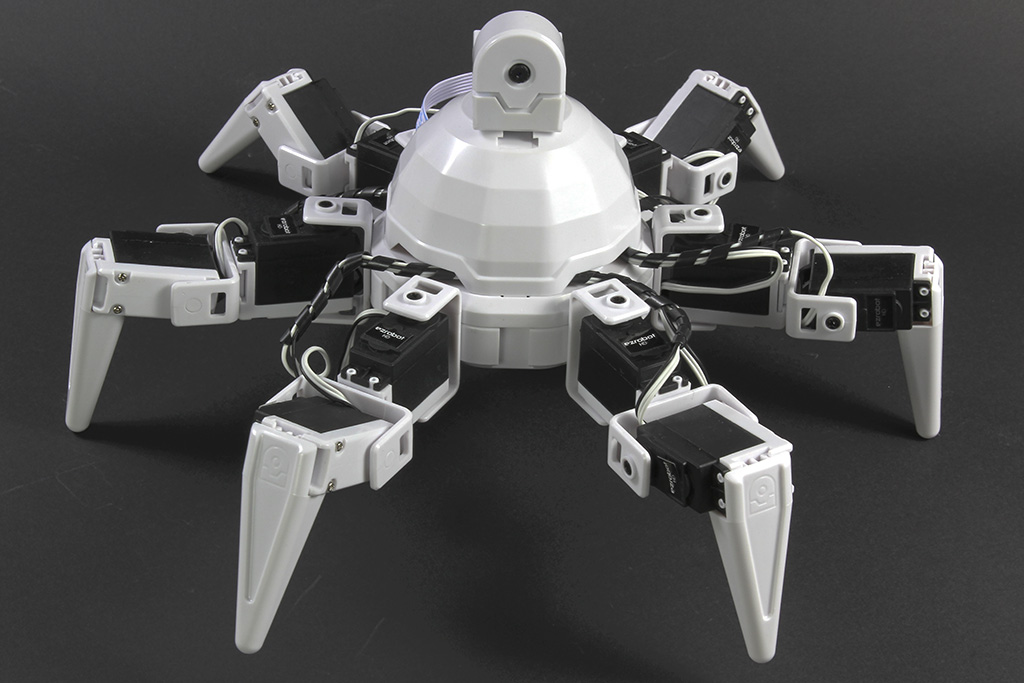
I mounted the Synthiam RGB 8x8 Display on my EZ-Robot Six Hexapod and am driving it with the RGB 8x8 Animator skill to show status icons while Six is walking. ARC is running on a Windows laptop connected to the EZ-B over Wi-Fi. The issue: when I play an animation at the same time as a walking action (Auto Position gait via the Auto Positioner Movement Panel), the EZ-B will intermittently freeze or disconnect. Sometimes I hear the EZ-B reboot chime mid-step; other times ARC stays connected but all servos stop and the RGB 8x8 Animator status just hangs (e.g., "Executing Smile’, frame 5/16") until I hit Stop on the animator. If I only run the animator (no gait), it’s fine; and if I only walk (no animator), it’s fine-this only happens when both are active.
What I’ve tried: lowered animator brightness to ~30%, reduced frame rate, swapped to a shorter I2C cable, rerouted away from servo power leads, added a 470 F cap at the display’s VCC/GND, toggled the Camera Device skill off, and tested different animations (fewer lit pixels). I also noticed that if the RGB 8x8 isn’t physically connected and I press Execute in RGB 8x8 Animator, the EZ-B can lock up-which matches the warning in the skill description.
Power details: Six is on the stock 2S LiPo. The RGB 8x8 is powered from the EZ-B’s I2C header VCC. I don’t know the I2C VCC current headroom; my inline meter suggests the panel can pull ~100-200 mA depending on brightness, which might be spiking during frames.
Questions: Is it recommended to power the RGB 8x8 from a separate 5V BEC with grounds tied, and does RGB 8x8 Animator support any ControlCommand throttling to reduce I2C bursts during Auto Position steps, or is there a better practice to run this display alongside Six’s gait without EZ-B freezes?



Yes - powering the RGB 8x8 from a separate regulated 5V source is the right next step if you’re seeing freezes/disconnects when gait + display are active together.
What’s most likely happening
You’ve already done a lot of the right troubleshooting, and your symptoms line up with one of two things:
Power instability / brownout
I2C timing / bus contention during heavy robot activity
Recommended setup
1) Power the RGB 8x8 from a separate 5V regulator/BEC
That keeps the I2C signal reference consistent.
2) Do not power the display from a noisy or overloaded rail
Even if the average current looks okay, peak spikes matter more than average current. A panel that "only" pulls 100-200 mA can still create trouble if it coincides with servo surges.
3) Keep the I2C wiring short and clean
You already shortened the cable, which is good. Also:
About throttling RGB 8x8 Animator
There isn’t a special "I2C burst throttle" ControlCommand designed specifically to reduce bus load during gait steps. The better approach is usually to reduce how often you update the display from your scripts.
Better practice
If your gait script is triggering the animator every loop, that can cause extra overhead.
Practical strategy for Six
For a walking hexapod, I’d recommend:
For example, in JavaScript you could track a mode and only switch animations when the state changes.
Important note about the "missing display locks up EZ-B" symptom
That warning is real: if the skill tries to drive an RGB 8x8 that isn’t connected, ARC can hang the EZ-B. That means the skill is sensitive to the device being present and responding correctly.
So for your case, if the display is ever disconnected or marginally powered, the problem could appear only when the animator is active.
What I would test next
In order:
ARC skill setup tip
To adjust the RGB 8x8 skill, click the kebab menu / three-line menu in the skill window and review its configuration there.
Useful references
https://synthiam.com/Support/Skills/I2c/RGB-8x8-Animator?id=16173
https://synthiam.com/Support/troubleshooting/Battery-and-Power-Supply
https://synthiam.com/Support/troubleshooting/EZB-Disconnecting
https://synthiam.com/Support/Skills/Servo/Auto-Position-Gait?id=20314
My recommendation in one sentence
Yes, power the RGB 8x8 from a separate regulated 5V supply with shared ground, and minimize how often you trigger the animator during gait instead of trying to "throttle" I2C directly.
If you want, I can help you sketch a clean wiring diagram for the separate 5V BEC + shared ground setup, or help you rewrite the ARC logic so the display only updates on robot state changes.