
 Resolved by

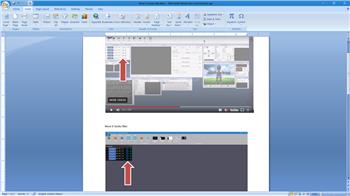
There used to be a button on the front of the connection control in ARC that could be clicked on to get us to the web page of a EZB. That has been replaced with a couple arrows to refresh the connection. How do I get to the EZB setup page now? The manual still says to press the button that has been replaced.
EDIT, Nevermind. I typed the address into my browser starting with https:// and went there directly. I found this on EZ Robot's website:
the EZ-B v4 webserver can be accessed by your web browser. If the EZ-B v4 is in Access Point Mode, the default web address will be https://192.168.1.1. If the EZ-B is in Client Mode, you will use the IP Address that ARC has detected (i.e. https://<ip address).
Sorry for the waist of time.



Sorry, I should have gone to the EZ Robot webpage first.
Thanks, I also figured it out to by going to a web browser https://synthiam.com/Tutorials/Lesson/15?courseId=5
Manual: https://synthiam.com/Support/Skills/General/EZ-B-Connection?id=16041