


Can anybody help me with an advice how to make my 6 DOF biped robot to walk using EZ - Builder with EZ - B v3 board? I don't know very well how to use the ARC soft, despite the fact it's easy to use.

Marian19
Romania
Asked
— Edited
4 Participants

It would be very hard to walk you through the process here if you don't know how to use ARC very well... Leaning ARC is how you will get your biped to move and walk... Your going to have to do a lot of reading and experimenting with ARC to get to your goal. Unless of course someone is willing to knock up something for you... However, you won't learn very much that way... You can start by loading the EZ Robot JD example program into ARC and tweaking it to work with your biped... If anything to see how it works in ARC...
After that, if you have any specific questions you are always welcome to ask them here...
Ok..thank you for the answer! I'll try to understand the software.
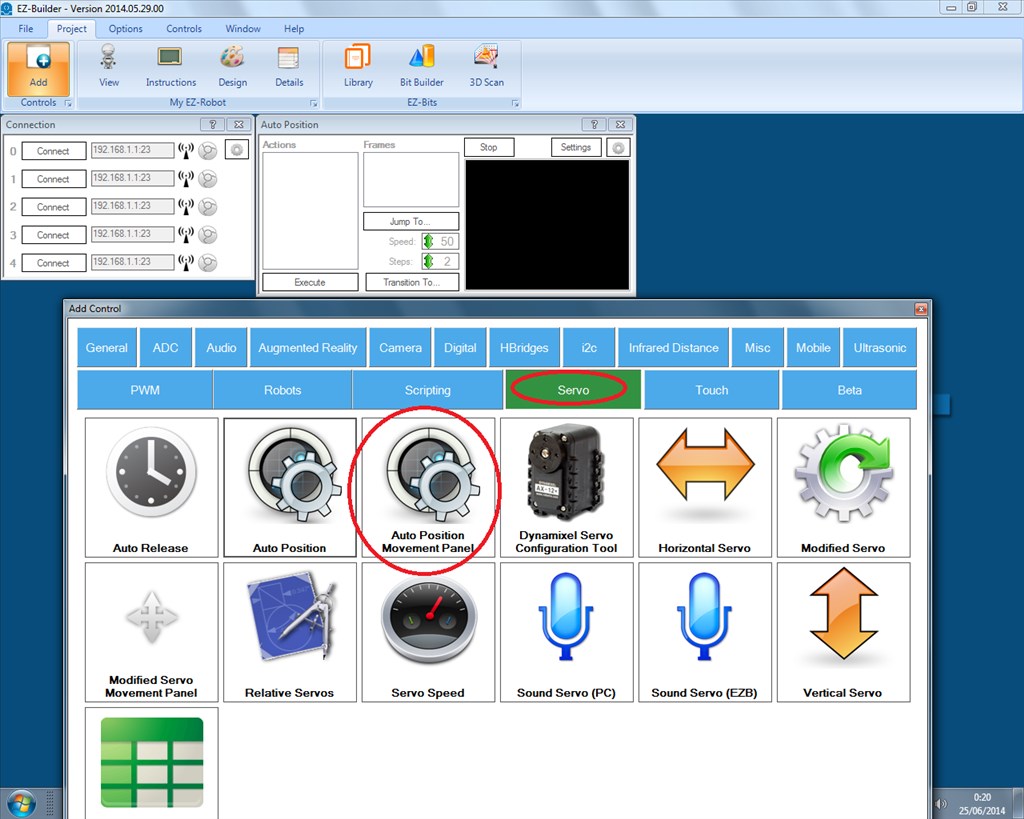
The control all ez-robots from the ez-robot shop use is auto-position. You use it to setup "frames", and then play the frames to do the action you made with the robot. Have a look at it and see if that's what your looking for.
As Technopro said, used the Auto Position Movement Panel control.
Set your frames, use the frames to make it walk around.
It's really just a case of figuring out the frames for the movement. You would probably benefit from looking at the JD example in ARC.
Where can I find the JD example in ARC?
Aaaa....I found the example, but I see only the graphic design of the JD , it supposed to have any movement example ?
Ok...no more problems...I saw the tutorial on www.ez-robot.com.
is this what marian19 means?