
 Resolved by





I am trying to get the HC-Sr04 sonar to work with the EZB. I use the add for my project, select radar view and the value stays at 255. I am using port D0 and D1. Could the sensor be bad? It is brand new, just received it in box with other components.
thanks

How are you providing power ?
Check it's wired correctly. Check the power to it is 5V (or less). Check the config of the control is set correctly.
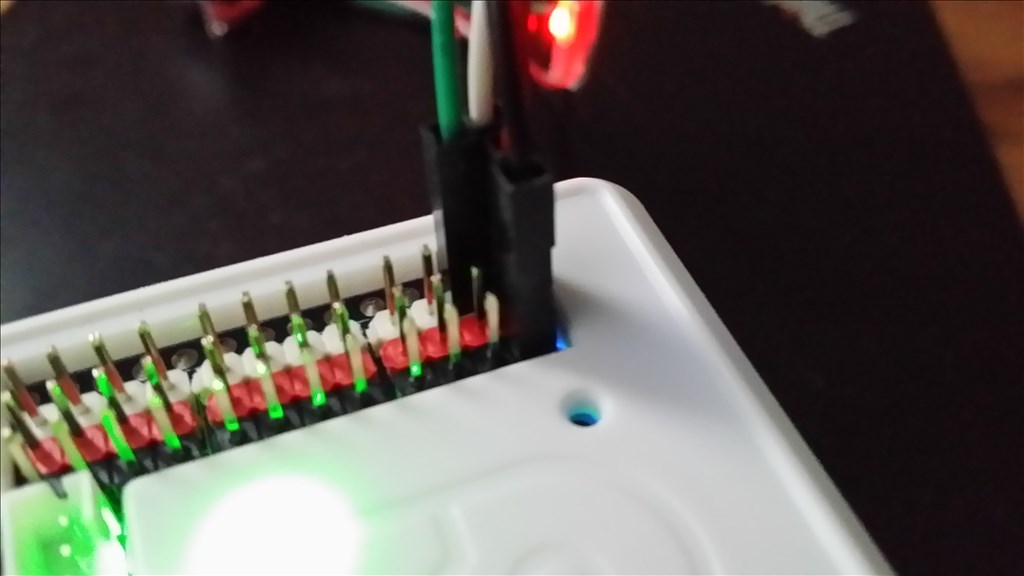
Can you take a picture of your wiring to the ezb board? Check and see if you have it wired correctly...
*** Important do you have the inline voltage regulator installed?***
In the second picture you have the ports reversed from the first picture (trigger and echo)... how about your wiring..? Is it connected to the EZB like my example above? (see post #4)
I think I have the wiring correct, posted a close up photo