

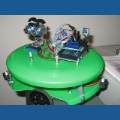



Hey guys, ive seen a few posts where people have said they have moded the ez camera to run off the ez board / main power supply, and removed the need for a power switch etc, but cant find any details on how to perform them.
Anyone got any details on how to do these? Or even better a video?
Cheers
Matt

I kept the battery in mine and use the USB for charge from an EZ-B Digital Ports PWR & GND Pin and modded a removable plug for the cam switch to the EZ-B Signal Pin.
@RichMR2 Using ToggleDigital(Dx) set for 1 second Sleep(1000) seems to work for ON and, as you noticed, it can turn on "by itself" sometimes when initially powering on the EZ-B.
You have to play around with the timings for OFF; I found 4 seconds Sleep(4000) seems to work OK for me.