
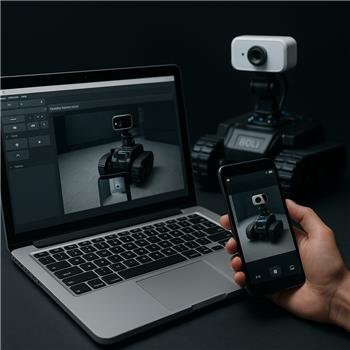
Running ARC on a Windows laptop with a Roli Rover (EZ-B v4 over WiFi). I’ve got two Continuous servo skills mapped to D0 (left track) and D1 (right track) for teleop, which works great when I use the buttons. I’m trying to add a remote camera by using the Live Stream Receiver so I can drive Roli from another room. On the Live Stream Receiver I start the server, then open the provided URL in a browser. From a second Windows laptop (Chrome) it connects and I see the video inside the camera panel with maybe ~300-500 ms latency. However, from my Android phone (Chrome on a Pixel 6) and an iPhone (Safari), I either get a single frozen frame or no video at all. Remote logs on the phone show errors like "getUserMedia must be used in a secure context," and ARC shows the client connected but no frames arriving. I’ve tried 2.4/5 GHz WiFi, disabling battery optimizations, Firefox mobile, and adding firewall rules. Also, when it does work from desktop, the stream seems to default to a high resolution which adds lag; I can’t find a way to request 640x480@15 for lower latency. Is there a supported way to use a phone camera with the Live Stream Receiver (e.g., via HTTPS or parameters to force lower resolution/fps) so I can reliably use that feed to steer my Roli with the Continuous servo skills?

SeoulBotLab5607
Korea
Asked
1 Participant
Android Stream To Live Stream Receiver
Related Hardware (view all EZB hardware)
Roli Rover
by EZ-Robot
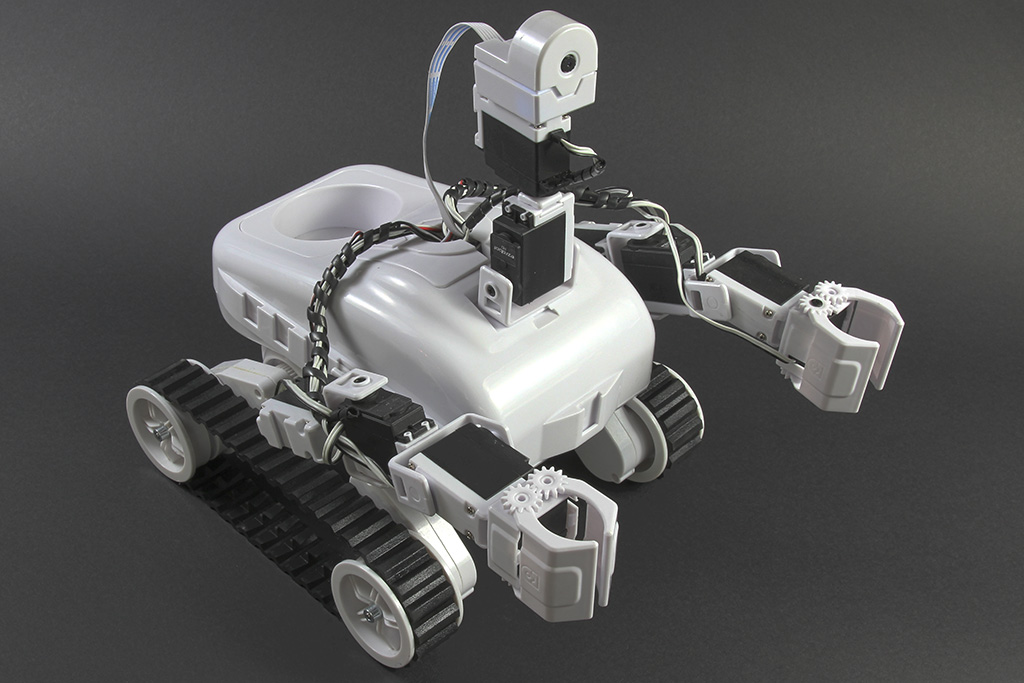
Roli Rover with Synthiam ARCx: drive with live video, control arms, follow faces, patrol, and program with Blockly or Python
Wi-Fi / USB
Servos
24
Camera
Audio
UART
3
I2C
ADC
8
Digital
24
Related Robot Skills (view all robot skills)

Continuous Servo Movement Panel
by Synthiam
Control two continuous servos for bidirectional robot movement with speed sliders, configurable ports/stop values, testing and brake/coast options.

Live Stream Receiver
by Amin
Play live web video and audio streams inside ARC from Chrome/Firefox, streaming directly to ARC camera control; network configuration may be needed.
Requires ARC
v7

Yes - but there are two separate issues here:
1) Android/iPhone camera access in a browser
The error:
means the phone browser is refusing camera access because the page is not being served over HTTPS or localhost. Mobile browsers are much stricter about this than desktop Chrome.
What that means in practice
https://...with a valid certificate, orlocalhostonlySo if the Live Stream Receiver is being opened from a normal local IP like:
the phone may connect to the page but still block the camera, which matches what you’re seeing: connected client, frozen frame, or no frames.
Recommended workaround
Use a secure tunnel or reverse proxy that provides HTTPS to the phone, or access ARC through a secure remote method.
A supported option to consider is ARC Remote Access Service if your goal is to operate ARC remotely:
That will give you a much more reliable remote-control path than trying to force mobile browsers into an insecure camera flow.
2) Can you force 640x480 @ 15 fps?
With Live Stream Receiver, there is not typically a user-exposed parameter in ARC to request a specific resolution/FPS from the mobile browser camera like
640x480@15. The browser decides what it can provide, and the control/stream pipeline decides what it can accept.So if you want lower latency, the proven approach is:
If your real goal is "drive Roli from another room using a phone as the camera and controller", the better ARC-native path is usually:
Important ARC best practice
For Roli Rover, the track drive should stay on the Continuous servo Movement Panel only if your tracks are actually continuous servos.
If they’re the standard Roli H-bridge tread motors, the better/standard skill is the Hbridge Movement Panel using:
Since you said your two Continuous servo skills are working, I assume your robot is configured that way, but I want to make sure you’re using the correct drive skill for the actual hardware.
What I’d try next
Question for you
What is the bigger goal here - are you trying to:
Those are very different setups, and I can point you to the best ARC skill combination once I know which one you want.