


Can you use Ez builder with an IP cam ?

Algeraist
Australia
Asked
— Edited
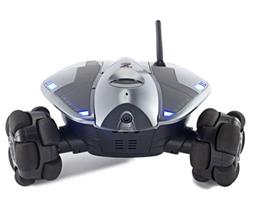 Wowwee Rovio
— Movement panel integrating WowWee Rovio with Synthiam ARC for remote drive, live camera, audio and docking control. Under development.
Try it →
Wowwee Rovio
— Movement panel integrating WowWee Rovio with Synthiam ARC for remote drive, live camera, audio and docking control. Under development.
Try it →
Can you use Ez builder with an IP cam ?

You can if there is an IP Camera to DirectShow driver/filter. In the video world, they call the drivers "Filters". It's more like an "adapter" or "interface" which conforms the video to a standard.
We use DirectShow, because it's fast and accessable. I am not sure, but i think this might be a filter: https://www.webcamxp.com/download.aspx
Don't quote me on that link. Read the product description first
so something like this would could work
Directshow filter
Hi,i just got my ez-b in and can't get ip camera to work with DirectShow driver/filter. I tried a foscam and panasonic bl camera no luck at all.Need to get ip camera to work because computer running ARC is now with robot (using WiFi and 3 miles apart)
Hi Pittom,
Check out one of these:
ManyCam
or
WebcamXP
I am guessing that your IP cam is not jpeg or mjpeg....that is the case I have with one of mine. Both the programs above can set up a connector/filter/driver whatever you want to call it to bridge the video stream to a detectable video interface within EZB. Both of these have freeware versions but they are limited with what you can do. I am actually considering buying the webcamxp (webcam 7).
Good Luck!
v/r
Kevin
they are mjpeg i tried webcamXp,maybe i did not set it up correct i will try them again thanks i'll let u know
@pittom,
the one I have is a FOSCAM and is mjpeg as well. good luck with it...let me know and I can look at how I set mine up....but it did work for me....aside from the watermark......not sure how to get rid of that.
v/r
Kevin
Kevin, need help can't get it to work,tried webcamxp,DirectShow driver/filter with no luck. DirectShow driver/filter i used https://192.168.1.228:228/videostream.cgi?user=admin&pwd=password
and also
https://192.168.1.228:228/videostream.cgi?user=admin&pwd=password"; width"640" height="480"
i get them to work in browser but not ezb. webcamxp (7) shows cam and see the name in ezb but picture wont show up confused
thanks tom(pittom)
I got it to work, got a new router today and it worked thanks for all your help