



The servo recorder is great but only seems to playback any servos only connected to Board 0. I can record from Board 1 using the servo pad control ( it shows data) but it won't playback the recordings of those servos connected to Board 1 or any other board (1-4). Am I missing anything obvious or is the servo recorded control only for board 0?
I am aware of the scripting recorder and how it works.
Thanks Tony

@3dPrinterGuy Yes Tony I hear you, I have the same issues, All the native robots at ez-robot work with one Robot one EZ-b , but quite a few of us are using Two or more ez=B's and Io- tiny.
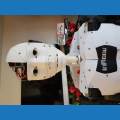
I just reconfigured my inmoov with one IO-tiny in each arm, to save all the extra wires going everywhere, and a ez-b4 in the back and I like to use servo recorder the most. so there is the issue.I cant use the arms with servo recorder now. My Robot is not Happy. Bruce and Bruce-e
I was unaware of this limitation.
Have no fear. I’ll change it for the next update for ya
Yay!
Thank You God...er I mean DJ
We thank you DJ
It's still on the list. Stay tuned...