

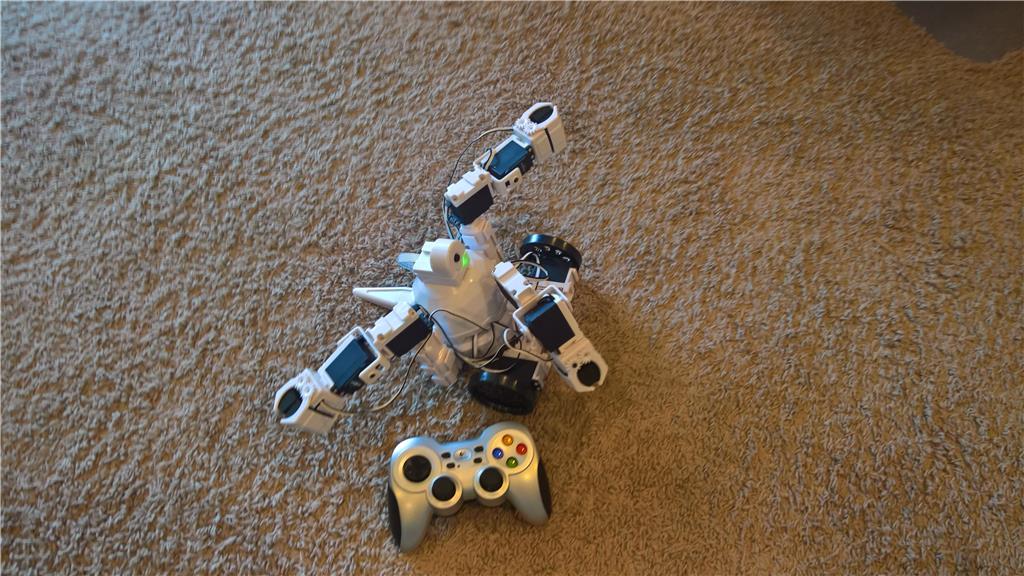
My 6 year old grandson is a big EZ-Robot fan and can build an Adventure Bot from scratch in 15 minutes now by himself. He decided to add a claw to the robot and was happy that he could control it with Joystick #2 on the Logitech F710 controller.
He was not so happy when he wanted to add a 2nd and 3rd claw and I told him there were no other joysticks available. His comment was "why can't I just push a button on the controller to tell it which claw the joystick #2 is to control?"
After some research, I set Joystick #2 to control virtual servos V0 & V1 and then used joystick button scripts to set an $arms variable (0,1,2)
Then I added a looping script to read the virtual servos and based on the value in $arms to control the correct servos
ServoSpeed( d2, 1)
ServoSpeed( d3, 1)
ServoSpeed( d4, 1)
ServoSpeed( d5, 1)
ServoSpeed( d8, 1)
ServoSpeed( d9, 1)

$arms=0

:loop
  $X= GetServo( v0 )
  $y= Getservo( v1 )

if ($arms=0)
   Servo( d2, $x )
   Servo( d3, $y)
endif

if ($arms= 1)
  Servo( d5, $x)
  Servo( d6, $y)
endif

if ($arms=2)
  Servo( d8, $x)
  Servo( d9, $y)
endif

Goto (loop)
Really worked out well, and he understands the concept, but not the code (yet)...





brilliant!
That's very clever. I did something similar in my Roli to choose which arm I am controlling by setting a variable, but all of the movements are auto-position or scripts. Using virtual servos instead means you can use virtually any control that acts in servos.
Alan
@Frank... Simple and elegant. Anyone who says ez robot scripting language is too simple or too limited has been stuck in arduino hell for too long... The only nit pick I see is your loop really should have a sleep command in it. To be honest I really should post some of my own code here too from time to time as having other people's perspective on it I think would really help me...
Hi Richard R Thanks for your insight on the code. I originally had a 500ms sleep in there but the servo movement was too choppy. I'll try smaller values to give other processes a chance to run
I was also going to convert it to use ElseIf to make it a bit more elegant
If there any kind of "case" statement in EZ Script? I couldn't find it
Thanks for the tips Frank
As for the ELSEIF, it's less about elegance and has more to do with performance. With multiple IF conditions, the code is performing a compare three times instead of 1.
that means the code is 300% less efficient than it could be.
Maybe Blockly might be a good interface for you to use, as it makes visualizing code easier.
You have a /2 Comm on the ez-b, no need for sleeps - push that cpu hard!
@DJ... for the new comm board... no sleeps? Good to know... This will definitely be useful on something I am working on...