








Hi,
I'm looking to buy a EZ-B v4 for my Hexapod, but don't want to use the power shell unit to connect the power as its to big. Is there a connector to connect directly to the EZ-B v4 power connector, without having to use the power shell base unit. Or will I have to modify the EZ-B v4 to connect my batteries directly to it.
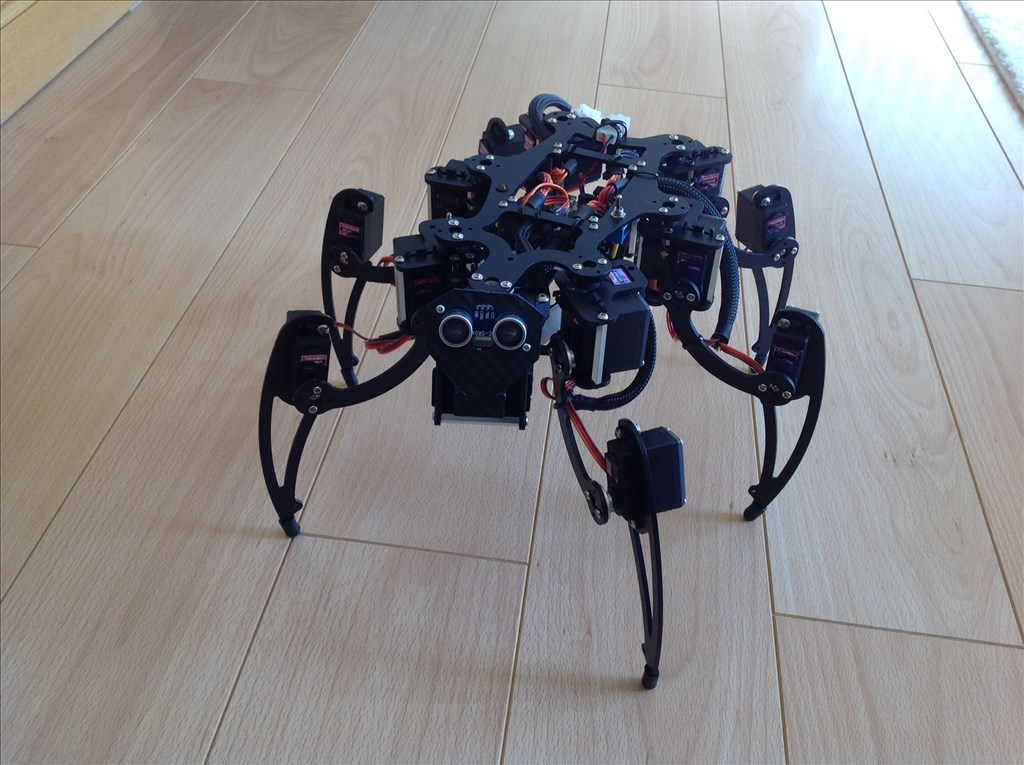
Here the Hexapod, currently has a Servotor32 controller with a Atmega32u4 Processor @16mhz running it, but need more computing power! And having to compile scripts in Python which is a pain!

I believe the onboard polyfuse only protects the EZB when sourcing current (milliamps) through the hardware ports.
all the other scenarios are covered via the power base fuse.
Think of it this way. The polyfuse protects the delicate stuff while the 20A fuse protects the traces and the rest of the components.