








Hi,
I just received my JD but can not connect it to the WIFI with my HP computer. To see if it was an issue with the EZ-B I tried to connect it to my Mac Air and it connected. Does anyone know what the issue could be?
 Dual Camera Servo Server
— Dual-camera server with servo control for stereo VR; includes C# test app and Unity (Oculus Quest 2) bindings for headset, hands and controllers
Try it →
Dual Camera Servo Server
— Dual-camera server with servo control for stereo VR; includes C# test app and Unity (Oculus Quest 2) bindings for headset, hands and controllers
Try it →

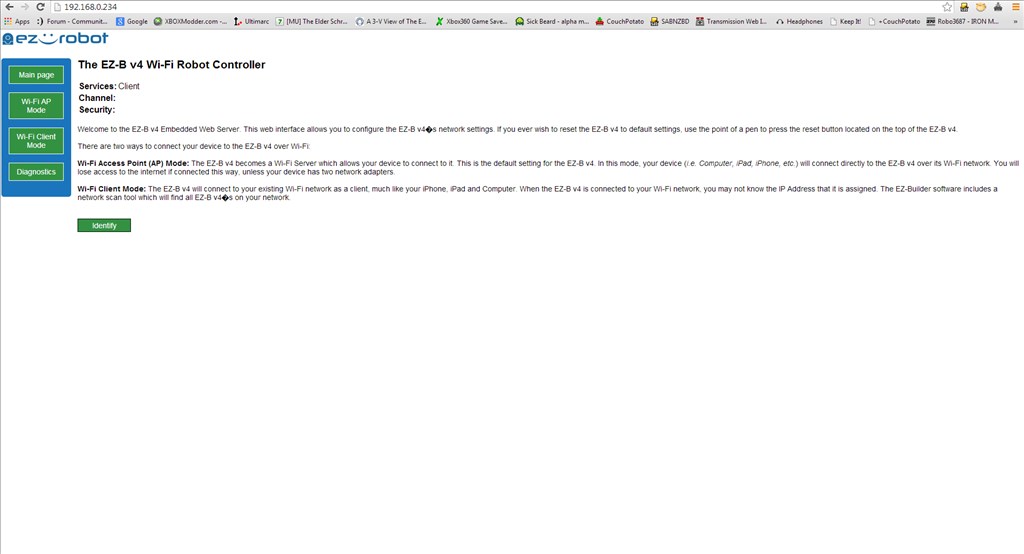
Hi,
I just received my JD but can not connect it to the WIFI with my HP computer. To see if it was an issue with the EZ-B I tried to connect it to my Mac Air and it connected. Does anyone know what the issue could be?

@DJ Sures I just woke up, I may have another solution! I will go try it. J
@DJ Sures I am trying to over ride Searching DNS to force to 192.168.1.1 for EZ-B. I did this in the past, just trying to remember how I did it. C:\windows\system32\drivers\etc has the files that need to be changed.
J
@DJ Sures
I was unsuccessful in getting it change searching. USB dongle is best solution for now.
J
@DJ Sures, and everyone else
I now can't charge my JD. The battery in the body is now releasing quite a bad smell. Does anyone know what is happening to it?
josh, did you Contact Us about the battery issue when you created this thread?
@Dj Sures No I didn't. I probably should have. Do you think it could just be a faulty battery or a problem with me charging it?
The EZ-B v4 has a built in battery protection which prevents it from being drained completely. When the battery saver kicks in, the EZ-B v4 will complain with a verbal message and shut down all I/O. This is because the LiPo batteries will be damaged if drained completely. Even though the battery saver feature can be disabled, it is not recommended. If you disabled the battery saver, the battery will be damaged and no longer hold it's charge.
If you did not disable the battery saver and it's always been acting this way, the battery might be damaged from factory. We are able to detect a battery that has been completed drained.
We are unsure if the battery is damaged or the charger is not working.
Do you know if the charger is working? We can start with a replacement battery.
@Dj Sures, I don't think the charger is working. When the power cord is plugged into the mains power and the balancer charger there are no lights on. When plugged into the robot there is a very faint green light on which seems to be dimming slowly.