



-635471487082108750.jpg)
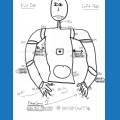
on my HP display of 1920 x 1080 unable to use circled areas.
but on my laptop at lower resolution of 1024 x 768 looks fine and works correctly.
J
 Watson Text To Speech
— Human-like audio via IBM Watson Text-to-Speech: multi-language, selectable voices for accessibility and automated interactions. IBM Cloud required.
Try it →
Watson Text To Speech
— Human-like audio via IBM Watson Text-to-Speech: multi-language, selectable voices for accessibility and automated interactions. IBM Cloud required.
Try it →
on my HP display of 1920 x 1080 unable to use circled areas.
but on my laptop at lower resolution of 1024 x 768 looks fine and works correctly.
J

I am running it with windows 8.1 update 2...
j
can you go to settings screen and adjust there?
Nomad18.08 let EZ-Robot look onto it! J
I think you are barking up the wrong tree.... Your only issue is with one window within ARC (or are there more)?... Wouldn't the window issue be system wide if it were a Windows OS/Resolution problem?
ok just found the link how to adjust it.
screen adjust
just incase you need it.
succses bolt
@richard r is correct! Only this one item!
J
I have the occasional window block where I can't move or resize the window I selected. Have to select another window in ARC and try again.
This seems to be the biggest problem with Windows software - the "Font DPI" or "Enlarge Font" setting. It's a huge pain as a programmer and sometimes impossible to fix.
It's this setting that makes my life difficult as a programmer.... People change it and everything blows up!