



dj
would it be possible to adjust excample robots in ARC? jd hand is comming against his head.
thank you
 Screen Recorder
— Record your screen to WMV1/WMV2/H263P files with selectable bitrate, save-folder and start/stop controls, creating tutorial or demo video snippets.
Try it →
Screen Recorder
— Record your screen to WMV1/WMV2/H263P files with selectable bitrate, save-folder and start/stop controls, creating tutorial or demo video snippets.
Try it →
dj
would it be possible to adjust excample robots in ARC? jd hand is comming against his head.
thank you

VGosine
great to hear.wow you are suddenly dissepear.
What action is this happening in?
dj i just pic one out.when jd sings whit mic.his hand slide over his face.
Sounds like you're either:
not running latest version
using a large microphone
not calibrated jd
i always use latest version on win8. dont use a mic cause i dont have a printer. so callibration is not hundred percent correct. thats why i ask for the possebility to be able to correct it.
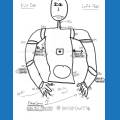
If your calibration is not 100% correct how can DJ or anyone correct the auto positions? Re-calibrate 100% correctly and then fine tune the servo profile, that is the only way the demo auto positions and any auto positions which others share will work with your JD.
rich for some reason the choulders dont callibrate 100% i will by a new chest,there are new servo's in and try again. its not to bad,just some small corections.it would be easy iff the possebility, is there to correct the motion.iff i use one off mine i can correct very easly.
You do not need a new chest - please follow these instructions...
Manual Shoulder Calibration: https://synthiam.com/Tutorials/Lesson/31
Create a servo Profile: https://synthiam.com/Tutorials/Lesson/33