



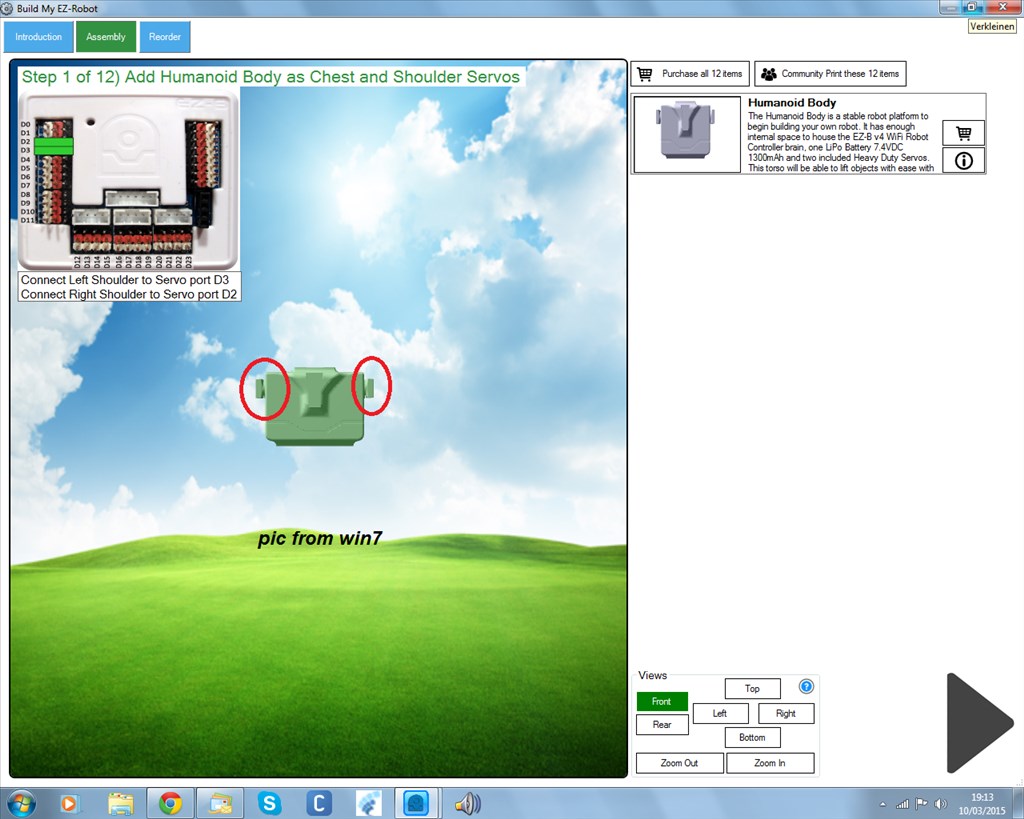
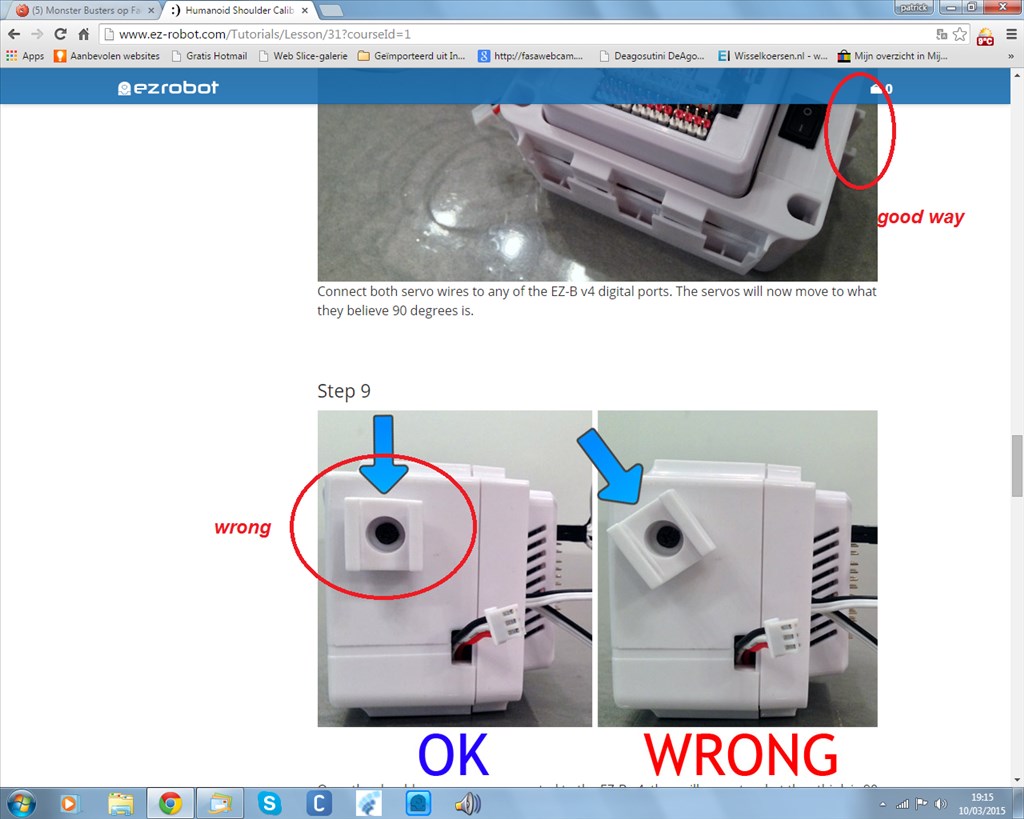
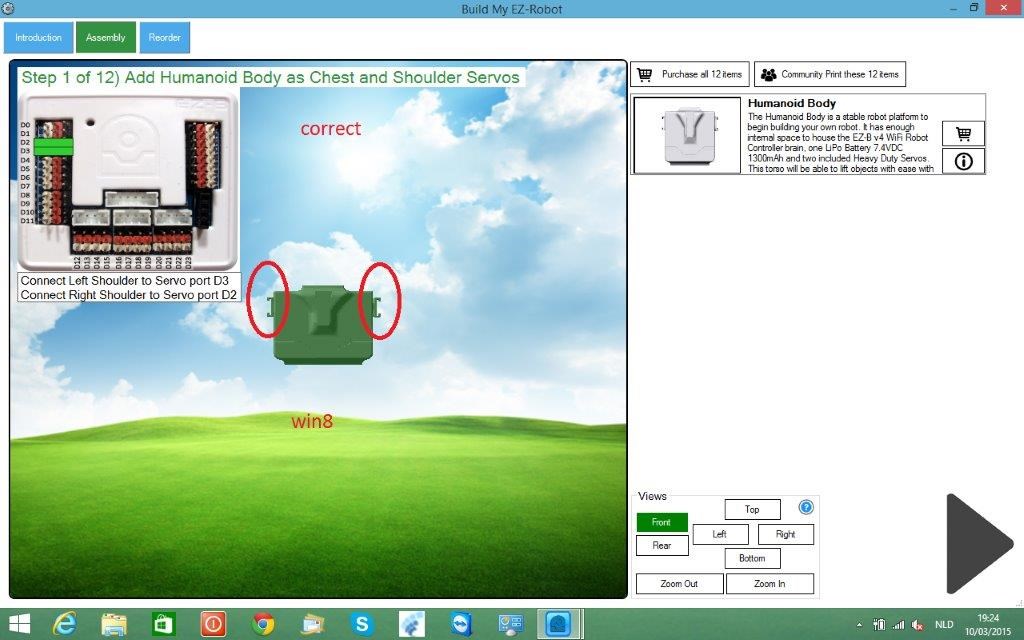
i found a bad pic in the learn section.if you follow this jd trows his arms backwarts. in win7 the assemble course is also the wrong pic. win8 is correct.
just finiched callibration off tree robots,all works perfect.
2x jd/1x roli
i found a bad pic in the learn section.if you follow this jd trows his arms backwarts. in win7 the assemble course is also the wrong pic. win8 is correct.
just finiched callibration off tree robots,all works perfect.
2x jd/1x roli

Not sure, it's as funny as how it can be explained to you what to check for above but still have the question asked I guess...
Ensure you are running the same version of ARC on both PCs. Ensure you have the same EZ-Bits sync'ed.
I would suggest re-syncing your EZ-Bit library.
However it still stands that the arm can attach to that part 4 different ways. Following the instructions and calibrating correctly will result in a perfectly working robot no matter if the shoulder bit is at 0/180 or 90/270 degrees.
rich
i check the libery.as for the jd brothers they work perfect. i will post video later
thank you
The pictures and instructions for JD are correct on all media...
Please ensure you have the latest JD Project with ARC. If you are unsure, you can load the JD project from the EZ-Cloud.
dj
i saw some diff pics and i thought ,whoops this is wrong. averything works great now.
thank you
Good to hear