

 Resolved by


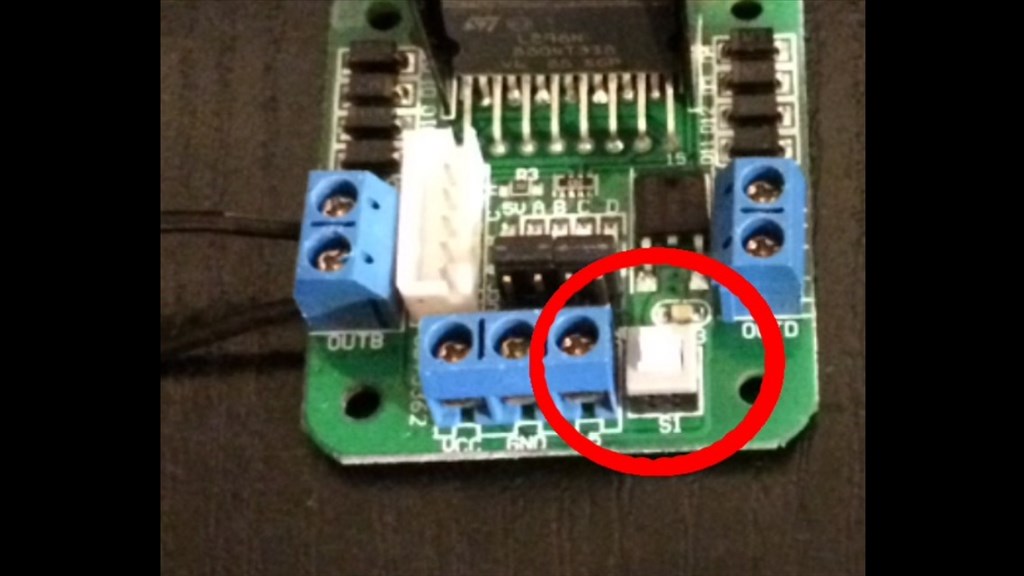
Hi, I have bought the Revolution Roli. I have followed the instruction to calibrate the servo. And I have continue the instruction https://synthiam.com/Tutorials/Lesson/38?courseId=3 But now the connecting box is green flashing... normally it must be blue flashing.
What happened ? And how I can connect back to the robot (the robot does not appear in the wifi list) ?
Does I have to reboot somehow the box ?
Thanks, Regards, Pierre
Excellent to hear @TheFrenchLeaf
Remember, the Roli, JD and Six are robot kits There's nothing "wrong" with the robots - they're kits for you to build, which is why there are instructions and tutorials. These steps help you learn how to build a robot, step by step.
I will update the suggested tutorial for the button press, thanks for the pointer
Enjoy Roli!
@TheFrenchLeaf.
Glad you got everything sorted and I'm pleased that I could help. DJ beat me to it, but I'll echo what he said about the tutorial lessons. They are a valuable source of information for not only building EZ Robot kits, but elements of the tutorials also help with building your own robots with EZ Robot products which is what I do. I always re-read them in my spare time, and if you notice something that could be made clearer it's always worth mentioning, as you have done.
Anyway, happy robot'ing (not a word, I know).