


In the audio section there is a wait for phase section, rather than having a specific phase be listed have the answer go into a variable. Example "Robot move right" then it would go into a subcategory "ok how far" the answer goes directly into a variable. The answer will have to verify that it is a number rather than a phrase. Then to be more advanced have the variables go into an array? After it is in an array you could separate each by a specific timeout. Having these items available in Blockly and being able to manipulate them would be very helpful. Thanks, Don
Asked
 Resolved by DJ Sures!
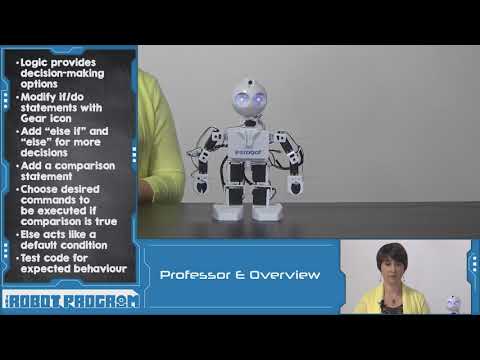
How To Use IF Conditions In Blockly
Related Hardware (view all EZB hardware)

EZ-B V4
by EZ-Robot
EZ-B v4 with Synthiam ARCx controls servos, sensors, camera and audio over Wi-Fi or USB serial, no firmware needed.
Wi-Fi / USB
Servos
24
Camera
Audio
UART
3
I2C
ADC
8
Digital
24

This appears that you’re asking how to use IF conditions. You can add your own IF conditions using the Blockly section. Ezrobot has a great tutorial on how to use IF conditions here: https://www.ez-robot.com/learn-robotics-programming-concepts.html
additionally, if you’re looking for natural language processing, we recommend Dialog Flow: https://synthiam.com/Support/Skills/Artificial-Intelligence/DialogFlow?id=15882
*note: this has been moved to a question as it’s not a feature request. It’s a question about how to use IF conditions.
Hi automation man
This may not be exactly what you want
I had my laptop's audio speak it out.
I created a variable called it Robotmoveright
I tried this on my robot car,
if I set the variable to 1, it moves right - if I set the variable to 0, it moves left
I noticed the "sleep for" tells it how far to move in the amount of time you put in there
There is my script, and my servo movement panel
EZAng, i think it's more like this he wants..
Or this is nicer by using functions...
great thanks, lol - you are the programmer
Here's a robot skill that will help you out: https://synthiam.com/Support/Skills/Audio/Conversational-Menu?id=21091
You can start the robot skill from Blockly using the Utility Control Command
Hey so great to see another Proff E tutorial video! I used to be really good at programming the If Else coding for my original outdoors Terminator but like anything you forget how to do coding if you stop for a long time so that was like a refresher vid!
Agree robo rad, I have been doing a lot of "refreshers"...