






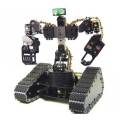




Now I have my second EZ-Kit and EZ-Camera I'm toying with the idea of using 2 cameras in my build, or possibly one PC using 2 cameras in 2 robots.
But, the problem seems to be that both show up as Windows Video Device in the dropdown when two are installed. I can select one of them and it'll work fine but selecting the other is not selectable (or at least when it's selected it jumps back to the first one and displays a black screen).
Both cameras display fine in AmCap so I know both cameras work.
Has anyone else tried this? And was it successfully?

You can't rename a device in Windows... Well you can but you can't do it easily, I wouldn't suggest it as a solution for anyone who is not very tech savvy.
I find it easy.
hmmmmm....
new tutorial for my website!