








All Community Content



Drive Real Robots, Anywhere
Remotely operate robots around the world or add live telepresence to your own build — straight from your browser.
Discover Exosphere
Robot Sticker

Hugging Face
Connects your robot camera to Hugging Face AI models for vision chat, object tracking,...

Autonomous AI
Autonomous AI robot agent with vision, speech, movement, animations, memory, and self-directed task...

Advanced Speech Reco…
Azure Cognitive Speech recognition for ARC with custom API credentials, scripting, language control,...

Persist and auto-load specified global variables between ARC sessions for consistent, personalized robot behavior and quick state restoration.

Teddy Ruxpin robot with EZ-B brain and Synthiam ARC: Bluetooth control, voice synthesis/recognition, servos for mouth, eyes, arms, neck.
Windows Release 2015.10.31.00
Auto Positioner auto-inserts STAND frame, preserves servo speed/steps when editing, auto-increments cloned frame names and remembers Add Control page. 2
2
 4 k
4 k
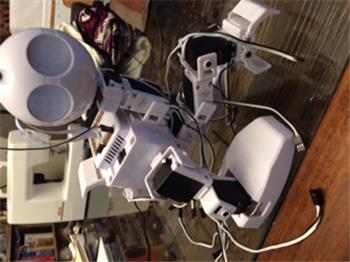
Monster Setup Help
Hey guys! I was wondering if maybe you could help me and my dad in the setup of this utter monstrosity as we would really appreciate it. Thanks.
3
2 k
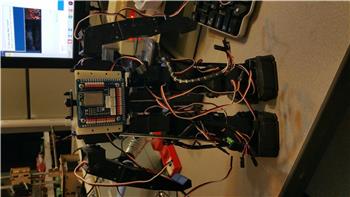
Controls: Auto Position, Auto Positiion With Movement, . Which Do I Use For A Se
I've finally started tinkering with ARC. I've gotten my...
4
3 k
The Tutorials Should Have More Links Across The Site
I'm reading one of the tutorials, called Servo, and it says: Quote:The EZ-B v4 has high accuracy which results in 180 servo positions. The EZ-B v4 can control 24 servos simultaneously while it performs other various user specified tasks. If your servos draw more current then our specification sheet defines, the EZ-B may run out of power and reboot...
1
2 k
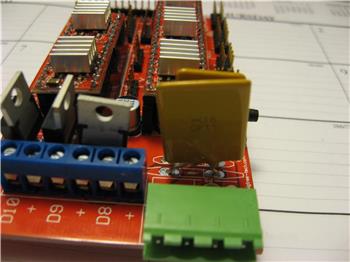
Fuses, Power Protection For The Ezbv4
Hey guys, long time since I've been around. Just getting to fooling around with my EZBv4. Those are pretty harsh terms of marking a thread as a...
5
3 k
Mobile Say Command
I have been using the "SAY" command in a few of my subroutines. Since I updated my ARC version this week however, I've noticed that the SAY command no longer works on my Mobile, unless I've done something else wrong, as I'm continually trying to add more functionality to my robot. When my code comes to the SAY command when I'm running my...
11
4 k
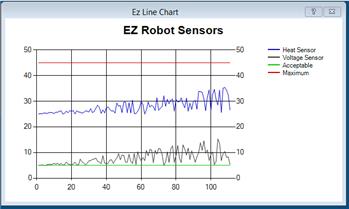
Ez Line Chart Is In Development
Working on the line chart plugin...
5
3 k
Using Ez Robot Thru Wifi On A Pc
can ez robot be controlled thru wifi using a pc? thanks very much for your help.
2
2 k
Batterie Get Real Hot
is it normal while charging the batt also get real hot? got 2 long charging and 15 min connection falls out.
2
3 k
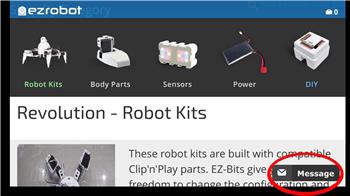
Contact Us Via Live Chat?
@EZ HQ. Hey guys. I was just browsing through the store checking the price of something, when I came across this curious little fella that popped up on my screen......
15
5 k
Brookstone Rover Cannot Connect To Pc
Hello, I am using a Windows 10 computer and I cannot connect to my Brookstone Rover v1.0. When I attempt to connect it says "Connect connect to this network". I can connect to the Rover fine when using my iPad 2, but it won't work with my Computer. I would appreciate it if you could help me solve this. Thank you, Schweinkraft
2
3 k
Ez-B V4 Supports Dynamixel Ax-12 Servos
We have listened to your requests for supporting Dynamixel servos with the EZ-B v4... The firmware now supports them... See, we listen
29
8 k