








All Community Content



Drive Real Robots, Anywhere
Remotely operate robots around the world or add live telepresence to your own build — straight from your browser.
Discover Exosphere
Robot Sticker
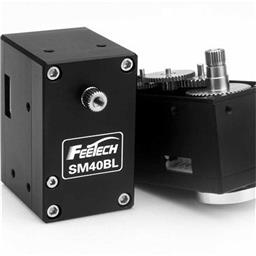
Feetech Serial Bus S…
Control Feetech SC serial bus smart servos via EZB UART or PC COM port with ARC virtual ports,...
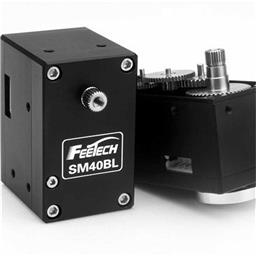
Feetech RS485 Servo
Control Feetech serial bus smart servos via EZB UART or PC COM port in ARC using virtual ports...

Total Speech Recogni…
Offline Windows speech recognition with open dictionary, confidence filtering, and scriptable phrase...
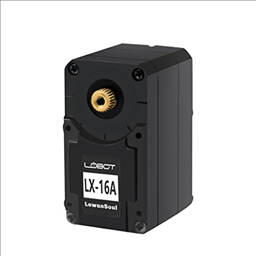
Control LewanSoul LX-16A servos via ARC (EZ-B v4/IoTiny): assign virtual ports, read positions, set speeds, and enable continuous rotation.
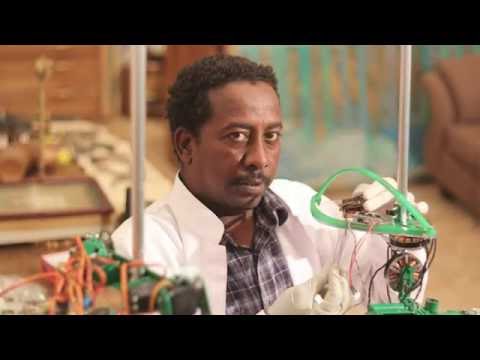
Agricultural robot using EZ-Bv4 controller-migrate from Raspberry Pi to x64 Windows for on-board machine vision and USB-serial communication
Error Message Cant Connect To EZ Robot
Hi, I just got my EZ Robot in the mail today. After running the Bluetooth setup wizard. I am offered ONE com port (5) not two. When I press Connnect I get the error message "Cant connect to EZ Robot. During the setup it configured a Virtual Com Port then later I set up a Physical com port Both on Com 5. I would really appreciate any help with... 7
7
 2 k
2 k
Saving Omnibot Ezb File.
When I try to open the omnibot. ezb file I see it in "mydownloads"; however when I try to open it with ARC I get an error message: Error reading configuration file C:usersLloyddownloadsomnibot.ezb I have other files (from the ARC website) in my downloads and they open in ARC fine. Whats the cause????????????
2
2 k

Mix3rn's Eve V0.02
Custom robot with C# AI, solar charging (10V, 230mA), WiFi camera, LED flashlight, voice recognition and mono MIDI speaker.
2
4 k
Spoiler! Firmware V13
Coming Soon: Firmware v13 (Codename: OMG) Whoa! What's this? Firmware v13 for the EZ-B Robot Controller is in testing phase!... Isn't that supposed to be an unlucky number? Well, unlucky for ME because I haven't slept in a week ... So let's see what is new in the coming-soon Firmware v13... For those who haven't seen the progress over the past...
21
6 k
Servo Facts And Information
What is the input voltage range for my Hitec Servo? A. All Hitec servos can be operated within a 4.8 - 6V (4 or 5 cells) range. Only the HS-50 operates exclusively at 4.8 volts (4 cells). Be aware that "coreless" and digital servos often perform poorly when alkaline batteries are used. Q. What signal do servos require to operate? A. All...
4
5 k
Ping Radar
I have a question about the PING radar. Is there a way to reverse the display swing to match the same direction the servo is going? I looked for a servo reverse with no luck. I just recieved my EZ-B today. It is so easy to setup the hardware. Thanks DJ Sures!!!! Cadmanj
4
2 k
Speech Recognition
Hello, I just got my new computer and I am finally running Windows 7. To my dismay I spent the entire day and I can't get speech recognition to work. I have read all the turorials and searched and read everything on the forum to no avail. Language, default, Windows SR off, tried everything. Any further suggestions would be greatly appreciated.
16
4 k
EZ-B Firmware V13 OMG Released!
EZ-B Firmware v13 OMG boosts speed, connection stability and I2C read/write for EZ-B v2/v3 - major update, upgrade now
0
2 k
Release 2011.10.31.00 - OMG
Firmware v13 (OMG) for Synthiam ARC: 70-position/50-speed servos, I2C console, multi-EZ-B support, smarter navigation, improved ping and scripting.
0
4 k
Can You Help Me Make Custom Software/Hardware?
Can you help me make custom software/hardware? For example I like how the bit moves it's head using motion tracking and it's life like... I want only that motion tracking to control my servos, Not the rest if the board. Will that be cheap?
15
4 k
Learning To Use The EZ-B
OK, so far I've gotten my omnibot, EZ-B, servos, and camera. I've accomplished speech control with the head servo, and arm movment. The camera was checked out and I have to set it up.( Pretty sure I got that covered.) Still waiting on my motor controller from Sparkfun. I feel I'm making slow, but positive progress. Now I'd like to learn how to set...
6
3 k
Running 2 Ez-B's
I received my second EZ-B today (5 day delivery) and it took all of one minute to get it up and running. GREAT job DJ!! Works great. Now I can fill up another 20 ports.
2
3 k