Change Release Notes
Hello! Here are the details of the 2012.02.17.00 release.
HTTP Server Live Control
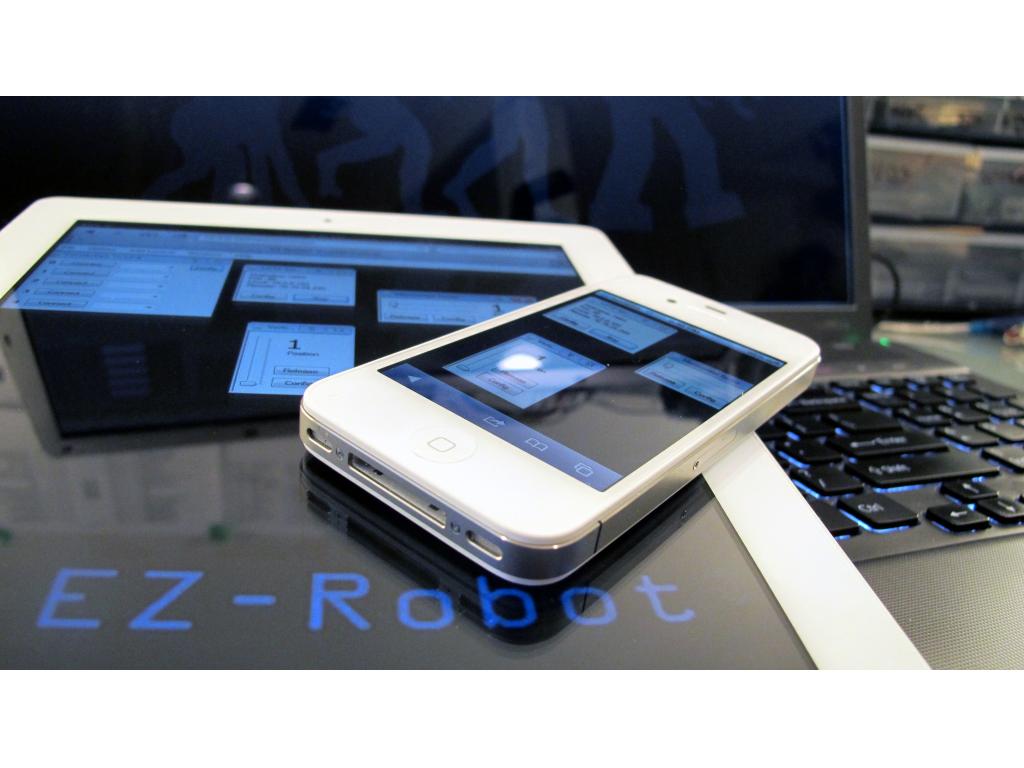
- The new Live control in the HTTP server allows connected devices to interact with ARC in real-time over the web browser. This includes ipad, iphone, android, firefox, safari, internet explorer, and even blackberry. Do people still use blackberry?
- Does not require any additional plug-ins or activex stuff
 . It's just magic!
 - Now you can control your robot at home from the office with your phone
Brookestone Rover Support
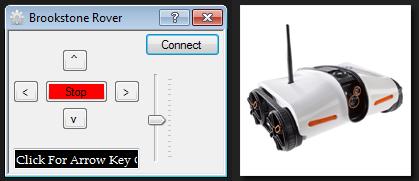
- ARC now supports connectivity to the Brookstone Rover and the Rover's Camera.
- The brookstone rover panel works like all other panels - speech recognition, joystick, wii, webserver, camera tracking, etc...
Camera Control
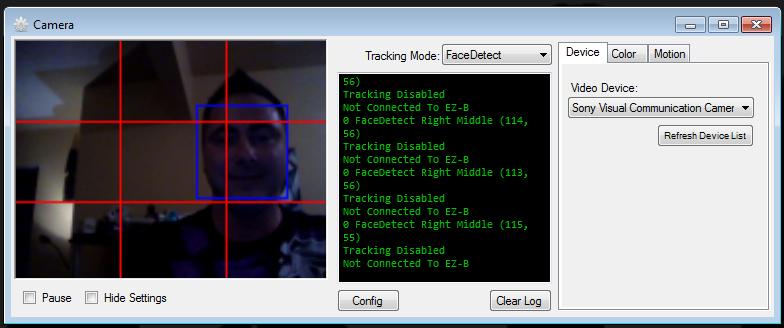
- I've made the camera control size adjustable. You can full screen the image, if you'd like to see large pixels. Or you can hide the settings and fit the window somewhere snug away.
Pulse Width Modulation
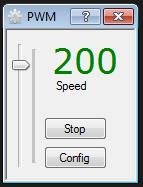
- The new pulse width modulation control allows pulses of current to simulate voltage control. This means you can adjust the speed of an HBridge, or the brightness of an LED
Touch Pad Movement
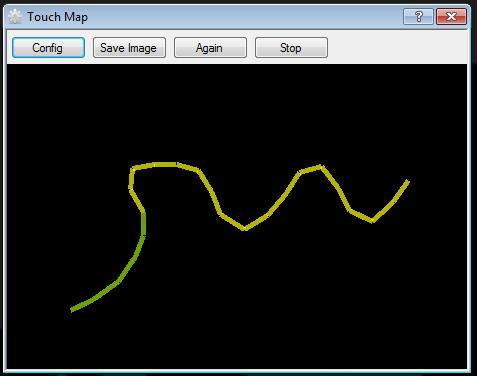
- Drag your finger or the mouse cursor and sketch the route of your robot. When you release your finger, or mouse the robot will drive that path.
- This control compliments any movement panel.
- Control takes some configuration to adjust turn distance and forward speeds.
Touch Movement
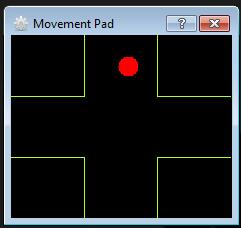
- Instead of using a regular movement panel, this is great for tablets. Lets you drag your finger on the screen to move the robot.
- Controls any movement panel.
ARC Downloads
ARC
FREE
$0
always free
- 1 third-party plugin skill per project
- Trial cloud services
- Personal, DIY & education use
- Updated every 6–12 months
 Download
Recommended
ARC
PRO
$8.99
per month
- Use on 2+ PCs simultaneously
- Unlimited robot skills
- Cloud backup & revision history
- Weekly features & bug fixes
- Business use permitted
ARC
RUNTIME
$0
always free
- Load & run any ARC project
- Read-only mode
- Unlimited robot skills
- Includes early access fixes & features
- Minimum requirements: Windows 10 or higher, 2 GB RAM, 500 MB free disk space.
- Recommended: Windows 10 or higher, 8 GB RAM, 1 GB free disk space.
- Prices are in USD.
- More about each edition: Download & install guide.
- Latest changes: Release notes.
Compare Editions
| Feature |
ARC
FREE
|
ARC
PRO
|
|---|---|---|
| Get ARC Free | View Plans | |
| Usage | Personal · DIY · Education | Personal · DIY · Education · Business |
| Early access to new features & fixes | — | ✓ |
| Simultaneous microcontroller connections * | 1 | 255 |
| Robot skills * | 20 | Unlimited |
| Skill Store plugins * | 1 | Unlimited |
| Cognitive services usage ** | 10 / day | 6,000 / day |
| Auto-positions gait actions * | 40 | Unlimited |
| Speech recognition phrases * | 10 | Unlimited |
| Camera devices * | 1 | Unlimited |
| Vision resolution | max 320×240 | Unlimited |
| Interface builder * | 2 | Unlimited |
| Cloud project size | — | 128 MB |
| Cloud project revision history | — | ✓ |
| Create Exosphere requests | — | 50 / month |
| Exosphere API access | — | Contact Us |
| Volume license discounts | — | Contact Us |
| Get ARC Free | View Plans |
* Per robot project
** 1,000 per cognitive type: vision recognition, speech recognition, face detection, sentiment, text recognition, emotion detection, azure text to speech

Upgrade to ARC Pro
Stay at the forefront of robot programming innovation with ARC Pro, ensuring your robot is always equipped with the latest advancements.
I'm guessing you mean received(retired). Try removing ARC from your computer then redownload the new version, always better to remove and redownload instead of updating.
I already did, but I got the message anyway
How are you updating, make sure you use the firmware updater?
I downloaded from the site, this
when you download the ARC from the site there is a program to update the firmware so each time DJ puts out an update you have to update the firmware on the EZ-B board itself and also redownload ARC for its new features. Remove ARC via Control Panel/Uninstall Program redownload ARC off here when finished downloading there should be a EZ-B firmware Updater under ARC folder.
The message also provides you with a YES, NO, CANCEL dialog. If you read the message, you may press YES and watch a video tutorial on how to update the firmware.
the correct port for my EZ-B is COM40 but if I put that I get this message:
Attempting connection to COM40 Comm Err: operation timeout. BbytesToExpect: 1
Received: Disconnected Connection Failed: System.Exception: Controller Not Responding in EZ_B.EZB.Connect (String portName) Disconnected
and I start to connect ONLY with COM3, but it is not the right one shortly after I get the message:
Attempting connection to COM3 EZ-EZ-B reports B Firmware V8, 5 Connected Press the UPDATE button to start upgrade ping Usending ping Usending Usending bootloader Failed to load bootloader! Have you selected the correct COM port B-EZ? Use the Help menu option to view the online help and watch a video demonstration.
and so I can not update the firmware and I can not use the EZ-B
You know why I can not update?
Follow the tutorials they may lay it out better for you:
Firmware Tutorial