

Conversational Menu icon Conversational Menu Voice menu tree to navigate options and run scripts on ARC robots. Multi-level, customizable prompts, speech I/O, timeout and repeat/back. Try it →
Tutorial
Published — Updated

The Robot Program Episode 022: Detect Face And Wave - EZ-Script

Step 17 of 27
Step 16

Click on the Pencil Icon to access the script editor. Close the Blockly prompt.
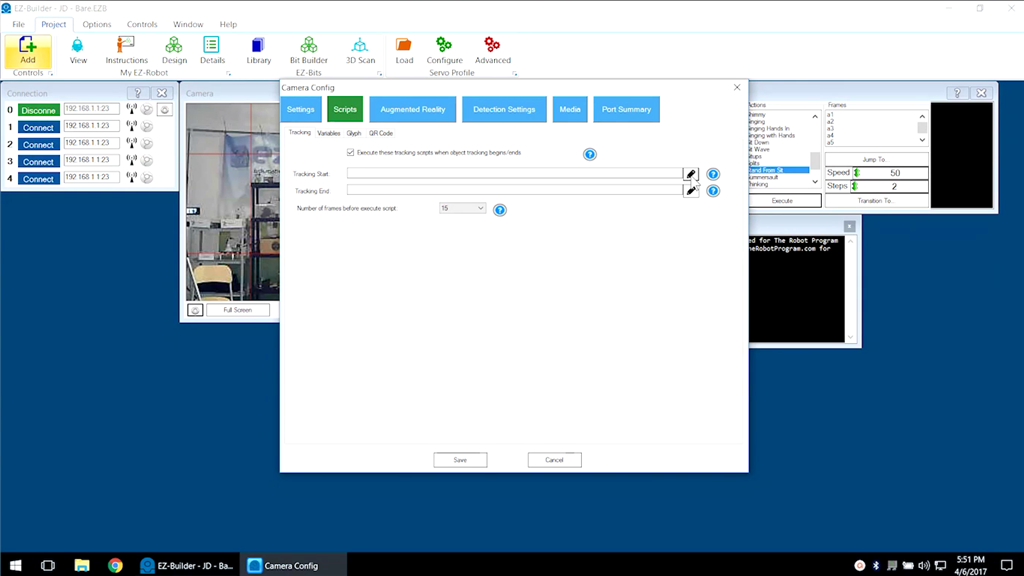
User-inserted image


ARC Pro

Upgrade to ARC Pro

With ARC Pro, your robot is not just a machine; it's your creative partner in the journey of technological exploration.
