


Comm Expansion Configuration icon Comm Expansion Configuration Configure EZ-B v4/2 Comm Expansion: switch between UART transparent proxy and USB direct PC link (avoids WiFi); EZ-B needs separate power. Try it →
Tutorial
Published — Updated

The Robot Program Episode 022: Detect Face And Wave - EZ-Script

Step 12 of 27
Step 11

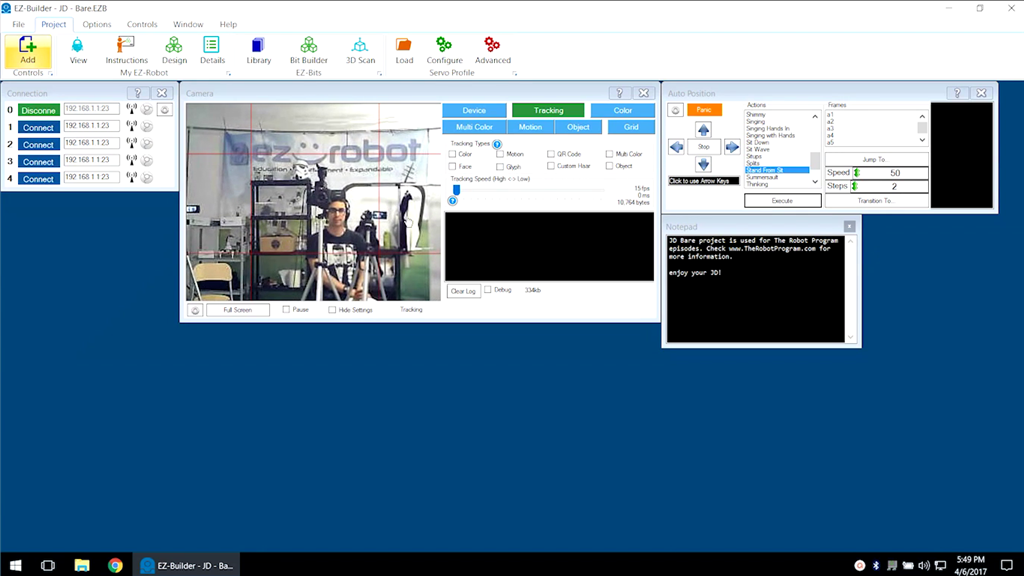
Select the Tracking tab. There are several types of tracking available, including object, face, and color.

User-inserted image


ARC Pro

Upgrade to ARC Pro

ARC Pro is more than a tool; it's a creative playground for robot enthusiasts, where you can turn your wildest ideas into reality.