


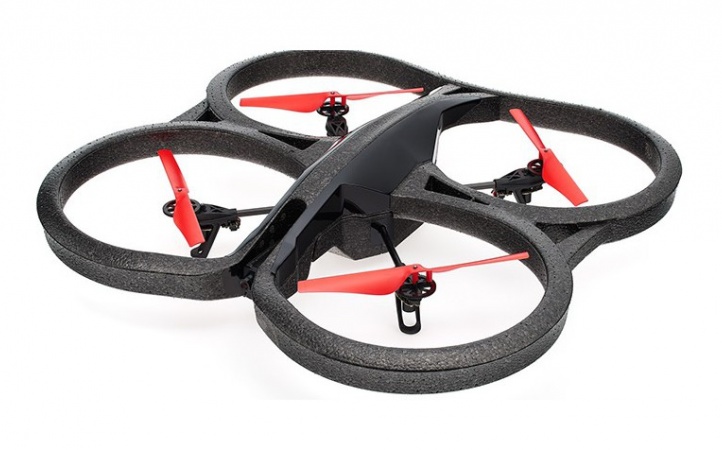
I’m trying to fly an AR Parrot Drone from ARC while also using the Bot Libre robot skill for voice/chat commands, and I’m running into a networking wall. Hardware is an AR.Drone over WiFi to a Windows laptop running ARC. The AR.Drone Movement Panel connects fine when I’m on the drone’s WiFi (video works, TakeOff/Land respond instantly). I also added the Bot Libre skill, logged in with my username/password, verified email, and obtained the Application ID; when I’m on my home WiFi, the skill authenticates and responds as expected.
The problem: I can’t get both working at the same time. When I connect to the drone’s WiFi, the Bot Libre skill can’t reach the cloud (auth fails or times out). If I stay on home WiFi, ARC can’t reach the drone. I tried adding a second network adapter (USB WiFi for the drone + Ethernet for internet) and set Windows interface metrics to prefer Ethernet for the default route. Still, Bot Libre often fails unless I disable the drone adapter. I also tried ICS/bridging, but AR.Drone’s AP/DHCP seems to conflict and I lose control or internet intermittently.
Two questions:
What network topology has worked for you to run cloud Robot Skills like Bot Libre while controlling an AR Parrot Drone in ARC (dual NICs with static routes, travel router/bridge, or something configurable inside ARC to bind Bot Libre traffic to a specific adapter)?
Once the network is sorted, is this the right approach to trigger takeoff/land from a Bot Libre reply in JavaScript, assuming the control name matches my movement panel?
var text = GetVariable("$botlibre_response");
if (text && text.toLowerCase().includes("take off")) {
  ControlCommand("Parrot AR Drone", "TakeOff");
} else if (text && text.toLowerCase().includes("land")) {
  ControlCommand("Parrot AR Drone", "Land");
}
What’s the recommended way to keep Bot Libre online while staying connected to the AR Parrot Drone, and is there a better pattern to hook Bot Libre responses into AR.Drone commands?


Yes - this is a network topology issue first, and then a project design issue.
Recommended network setup
For an AR Parrot Drone + cloud skill setup, the most reliable approach is:
Option 1: Use two network paths
This is the normal setup I recommend for ARC when a robot connection and an internet-dependent skill must both stay online.
Why this works better
Important Windows networking notes
If Bot Libre is unstable when both adapters are enabled, check these:
1) Avoid network conflicts
The most common problem is that the drone and your home network are using the same subnet, usually:
192.168.1.xThat causes routing confusion.
The AR.Drone uses its own network, so if your home network is also
192.168.1.x, Windows may not know which interface to use.2) Put your internet network on a different subnet
Best fix:
192.168.0.x192.168.10.xThat’s the same best-practice used for EZ-B networking conflicts too: https://synthiam.com/Support/Tips-to-Make-a-Robot/Two-Network-Interfaces
3) Don’t bridge the adapters
You already noticed this, and you’re right: bridging/ICS usually causes more problems than it solves for drone control. The drone expects direct WiFi behavior, and Windows ICS can interfere with latency and routing.
4) Use a travel router if needed
If dual NICs remain flaky, the most stable workaround is often:
But because the AR.Drone creates its own WiFi, many users still do best with:
About Bot Libre + AR.Drone in ARC
Your overall idea is good, but I’d recommend a slightly better architecture:
Better pattern
Use Bot Libre only for speech/chat interpretation, then have it trigger scripts or control commands in ARC.
Instead of directly putting flight logic inside the Bot Libre skill itself, do this:
That keeps the AI layer separate from the movement layer.
Your JavaScript approach
Your example is close, but I’d recommend two improvements:
getVar()instead ofGetVariable()controlCommand()with the exact Movement Panel nameHere’s a cleaner ARC JavaScript example:
Better command parsing
Bot responses can vary, so it’s safer to check for multiple phrases:
Best practice in ARC
A more reliable method is to have Bot Libre write a command to a global variable like:
$droneCommand = takeoff$droneCommand = landThen a script reads that variable and runs the matching command. That’s more robust than parsing free-form text every time.
Example:
What I’d recommend you do next
192.168.1.xcontrolCommand()Relevant ARC links
https://synthiam.com/Support/Skills/Movement-Panels/AR-Parrot-Drone-Movement?id=16050
https://synthiam.com/Support/Skills/Artificial-Intelligence/Bot-Libre?id=19936
https://synthiam.com/Support/Tips-to-Make-a-Robot/Two-Network-Interfaces
One key question
What is your bigger goal here - do you want:
That will help me recommend the cleanest ARC structure.