


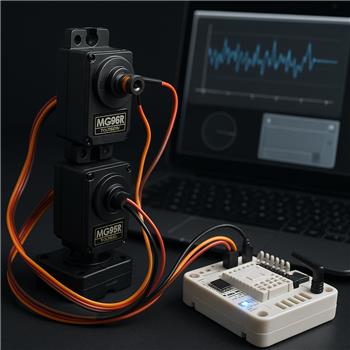
I’m adding positional feedback to a pan/tilt rig on an EZ-B v4 over WiFi and using the PWM servo Feedback (ADC) robot skill to read a modified MG996R’s pot. The tilt servo signal is on D1, and I’ve soldered a 4th wire from the pot wiper to ADC0. Servos are powered from a 6V BEC, EZ-B v4 is powered from the same 2S LiPo, and grounds are tied at the EZ-B. In the skill’s config I set ADC0 for the servo on D1 and ran Auto-Calibrate. It finds a range, but the reported position jitters a lot when the servo is holding load or moving slowly. For example, at a fixed physical angle, the reading flutters 5-10% and sometimes spikes momentarily to an extreme, which throws off my mapping and occasionally triggers the min/max limit in the control.
I tried manual calibration, moving the feedback to ADC1, different routing for the wiper lead, and swapping to a different MG996R. I also added a 0.1 F cap from ADC0 to GND which reduced the fast noise but added noticeable lag. As a test, I averaged 10 samples in a small JavaScript script and it looks smoother, but the robot skill UI still shows the jumpy value:
var sum=0;
for (var i=0; i<10; i++) { sum += getADC(0); Sleep(5); }
var avg = sum/10;
print("ADC0 avg: " + avg);
Another wrinkle: the angle reported by the PWM servo Feedback (ADC) control doesn’t line up with commanded angles. After calibrating, Servo(D1, 90) tends to report ~60-70 on the feedback, and this offset varies with load and after the servo warms up.
What’s the recommended wiring/filtering and calibration workflow for stable, correctly scaled feedback on EZ-B v4 with PWM servo Feedback (ADC)-should I add a series resistor and specific RC filter to the wiper, or a divider, and are there ARC settings to smooth without adding unacceptable lag?



You’re very close - but PWM servo Feedback (ADC) is only as stable as the servo’s pot signal and power integrity, and on an MG996R-class analog servo it’s normal to see some jitter. That said, 5-10% flutter and occasional spikes are not something I’d consider "good enough" for a pan/tilt feedback loop in ARC.
What’s happening
Your symptoms point to a combination of:
The key point: the robot skill is reading the ADC directly, so if the analog signal jitters, the skill will display it. Your JS averaging test proves the hardware signal can be smoothed, but the skill itself does not apply that kind of filtering by default.
Recommended wiring
For PWM hobby servo feedback on EZ-B v4 ADC ports, the best practice is:
1) Use a short feedback wire
Keep the wiper lead as short as possible.
2) Add a small series resistor to the ADC input
Put a 1k to 4.7k resistor in series between the servo wiper and ADC0.
This helps isolate the ADC input and reduce spikes without heavily delaying the signal.
3) Add a small capacitor at the ADC pin, not a huge one
Instead of 0.1 F, use something in the 0.01 F to 0.1 F range from ADC0 to GND as a noise filter.
A good starting point is:
If the signal is still too noisy, try:
About the offset and scaling mismatch
This part is important: the feedback position will not perfectly match the commanded servo angle unless the mechanical center, pot travel, and servo travel are aligned.
Reasons include:
So if
Servo(D1, 90)reports60-70, that usually means one of these is true:Best calibration workflow
Here’s the workflow I recommend in ARC:
1) Disconnect external load first
Calibrate the servo with the pan/tilt arm unloaded if possible.
2) Manually center the servo mechanically
Set the servo to a known midpoint and mount the horn so the mechanism is centered physically, not just in software.
3) Use Auto-Calibrate with clean extremes
Move the servo to its true safe minimum and maximum under light/no load, then run auto-calibration again.
4) Verify the feedback endpoints
Check what ADC values correspond to:
Then map those values in ARC to the servo range you actually want.
5) Expect some load drift
If the arm is holding weight, the reported angle may shift a little. That’s normal for analog hobby servos.
Should you use a divider?
Usually no, not for the pot wiper feedback on a servo that is already powered from the EZ-B-compatible range.
A divider is generally only needed if:
For a servo pot wiper, the better solution is series resistance + small capacitor + good grounding + short wire.
ARC settings to smooth it
The PWM servo Feedback (ADC) skill itself does not give you the kind of configurable digital filtering you’re looking for.
The better ARC approach is:
That is the more reliable and standard solution in ARC.
Example of a simple moving average:
If you want to reject spikes, a median filter is often better than a plain average.
My recommendation for your setup
For a stable pan/tilt rig, I’d do this:
One more important note
If your application depends on precise, repeatable position feedback under load, a modified hobby servo is not the best platform. A smart servo or a servo system with true position reporting will be much more stable. In ARC, that’s where a driver like Dynamixel or another feedback-capable servo skill becomes a much better choice than hacking an MG996R.
You may want to look at the servo docs here as well:
If you want, I can help you with either of these next steps:
What’s the end goal for the pan/tilt - object tracking, camera aiming, or just position hold?