

 Resolved by


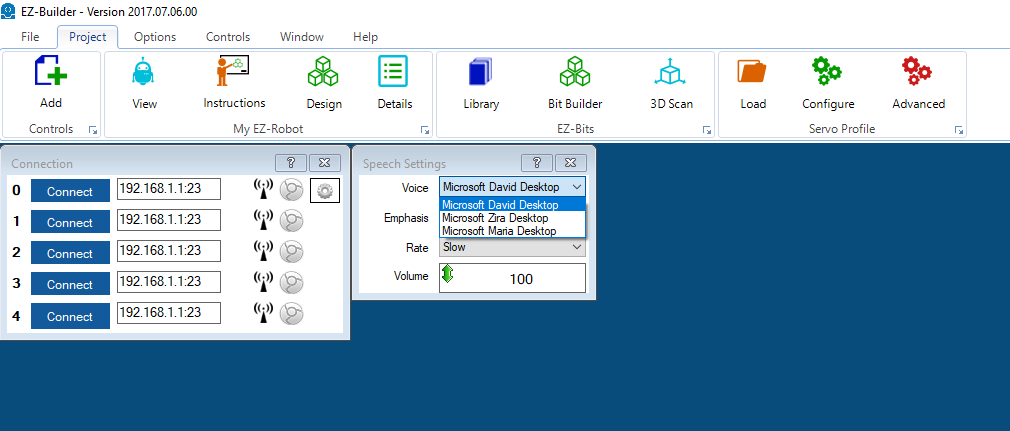
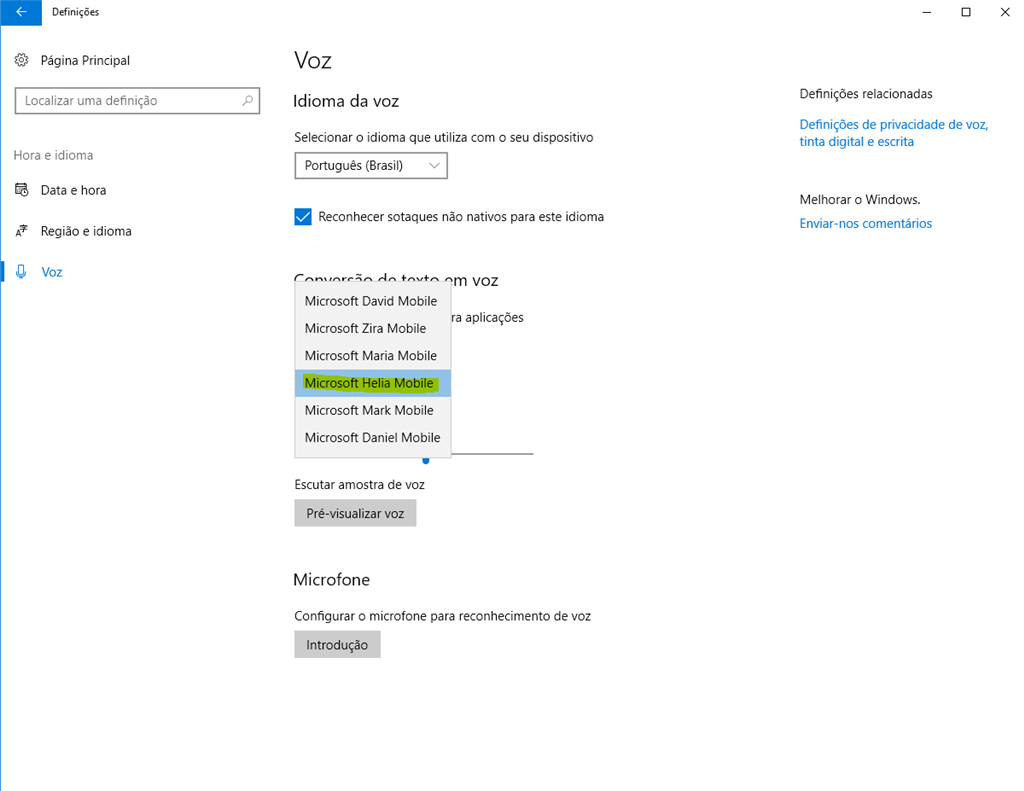
Hi guys. I am trying to select a new voice in the speech synthesis settings but i am unable to see all voices that i have installed in windows 10. Only David, Zira and Maria show up in the voice list. (see pic.1). I would like to use Microsoft Helia Mobile (pic.2). Can somone help? Thanks.

@proteusy
Thanks for the feedback.
maybe the Microsoft Visual C++ 2015 Redistributable is required:
https://www.microsoft.com/en-us/download/details.aspx?id=53587
Let me know the results of your tests/troubleshooting .
Has there been any solution to this problem of Desktop voices not being available in ARC? I am only getting 3 of 11 of my Desktop voices appearing in the SpeechSettings control. This is really limiting.
I found the suggested HAZEL files to be deleted in: C:\Windows\Speech_OneCore\Engines\TTS Despite changing the permissions, I could not delete them. Also I use the Hazel voice on one of my robots.