
I just downloaded the newest version of ARC, when I go to install it, Windows is telling me its not a valid installer program? I am running windows 7.
Thoughts?
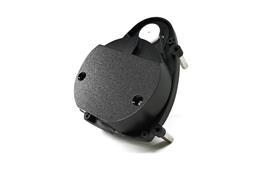 Hitachi-LG LDS Lidar
— Hitachi-LG LDS 360-degree LiDAR driver streaming scans into ARC NMS for obstacle detection, SLAM use, Arduino hookup, config options and variables.
Try it →

I just downloaded the newest version of ARC, when I go to install it, Windows is telling me its not a valid installer program? I am running windows 7.
Thoughts?

Download it again. Or uninstall the current installation. Or reboot your computer. Or virus scan to ensure you do not have any viruses.
I had the same problem a few weeks ago... every time I tried to download ARC it wanted to download it as an .stl file rather than an .msi installer file... So when trying to open it it tried to use Windows 3D viewer. I am sure there is an easier fix to it (other than "save as" option and renaming it), but I fixed it permanently by using Firefox instead of Windows IE....
I have no other versions installed. I have restarted my PC. I have ran a virus scan. I just re down loaded it, and I can now install it.... I do not understand why.
Wayne, Windows it's a mystery!
yep!