

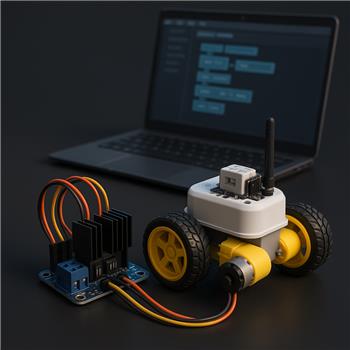
I’m converting my Shell-e (EZ-Robot IoTiny, Wi-Fi) to a two-wheel drive using the EZ-Robot 2.5A Dual H-Bridge and two 6V TT gear motors, and I’m stuck getting consistent speed control from the Dual HBridge w/PWM Movement Panel in ARC. Wiring is: Left motor IN1=D0, IN2=D1, ENA (PWM)=D2; Right motor IN3=D3, IN4=D4, ENB (PWM)=D5. Grounds are common between IoTiny and H-Bridge, motor power is a 2S LiPo to the H-Bridge, and logic is from the IoTiny. Jumpers are removed from ENA/ENB. In ARC, the Movement Panel is mapped to those pins, and I’m testing with the built-in Forward/Left/Right buttons and the speed slider at 30-50.
Observed behavior:
- Forward/Reverse: both motors follow direction correctly.
- Left/Right turns: the left motor speed responds to the slider, but the right motor seems to ignore PWM and runs full speed during turns.
- If I swap the ENA/ENB signal wires, the issue follows the PWM pin (the other motor then ignores speed), which makes me think the H-Bridge channels are fine and the problem is pin-specific.
- If I change the right PWM assignment in the skill from D5 to D2 and rewire, PWM works on that side, so it feels like D5 isn’t being driven as PWM by the skill.
- I also tried D6 for right PWM with mixed results (sometimes it worked after a reconnect, sometimes it jumped to full speed). ControlCommand attempts like ControlCommand("Dual HBridge w/PWM", "SetSpeed", 40) don’t change the right motor behavior when mapped to D5.
Is there a known limitation or configuration trick for using D5 as the right-side PWM pin with the Dual HBridge w/PWM on an IoTiny, or should I remap to specific pins to get consistent speed control on both motors?

Yes - this sounds much more like a pin-capability / port mapping issue on the IoTiny than a bad H-Bridge channel.
What your testing already proved
You’ve done the right isolation steps:
so the H-Bridge channel is likely fine.
so ARC can drive PWM, but not consistently on D5 in your setup.
suggests that port is not a reliable choice for that specific skill/configuration either.
Likely cause
On the IoTiny, not every digital port behaves the same way for PWM in every skill. Some ports are better suited for PWM output than others depending on the firmware/board mapping and what else is attached in the project.
For the Dual H-Bridge w/PWM skill, the safest approach is to use the ports that are known to work reliably for that board/skill combination.
Recommended fix
Use the common, proven mapping:
but if D5 is not behaving as a true PWM output on your IoTiny, then the practical solution is to move the right PWM to another port that ARC reliably drives as PWM on your board, and update both:
If D2 works consistently, but D5 does not, then yes - remap to the working ports rather than forcing D5.
Important note about
ControlCommandControlCommand("Dual HBridge w/PWM", "SetSpeed", 40)is for the movement panel speed, not a direct per-pin PWM override. So if the skill/port mapping is the issue, changing that command won’t fix a bad PWM port assignment.Best troubleshooting path
My recommendation for your build
If you want consistent behavior right now, I’d suggest:
Helpful references
https://synthiam.com/Support/Skills/Movement-Panels/Dual-HBridge-w-PWM?id=16067
https://synthiam.com/Support/ARC-Overview/port-selection
One more thing to check
Since you’re on a Shell-e / IoTiny, can you confirm:
If you want, I can help you build the best port map for the IoTiny and suggest a cleaner wiring layout for the Shell-e conversion.