


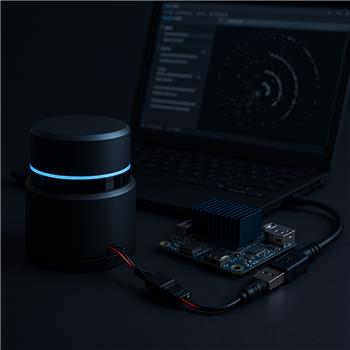
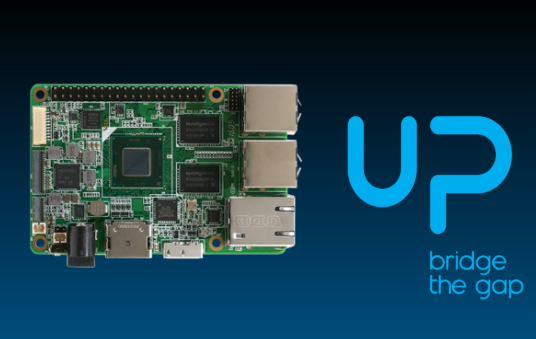
Running ARC directly on an Up Board (Windows, drivers from Up Community installed), I’m trying to get a Hitachi-LG LDS-01 working with the Hitachi-LG LDS Lidar skill over USB-UART. Wiring is LDS TX->USB-UART RX, RX->TX, GND common; power is a separate 5V/2A buck from the robot battery (grounds tied). I’ve tried two adapters (CP2102 and FT232RL), short shielded cables, and also a powered USB hub. In the skill I’ve set BaudRate to 230400, Offset Degrees 0, and have experimented with both "Set variables with location data" and "Fake NMS Pose hint event."
The skill connects, the LDS spins, and the Level 1 Navigation Viewer shows points, but I get periodic bursts of bad data: about once a second the distances drop to zero or jump wildly for a few scans. If I enable "Advanced communication parsing," I see intermittent checksum mismatch messages aligning with the spikes. CPU is <20%, so it doesn’t look like overload. Disabling Windows USB selective suspend and trying different COM ports didn’t change it. FTDI advanced settings (latency timer 1-16 ms) didn’t help either. Offset Degrees works, but I’m not entirely sure if positive is clockwise or counterclockwise, and I don’t want to mask a parsing issue by rotating the cloud. Also, with "Fake NMS Pose hint event" enabled, Better Navigator still occasionally pops a "No pose provider" warning even though scans are flowing.
Before I go the Arduino-bridge route, I’m hoping someone has this combo stable on an Up Board: what USB-UART adapter and exact Hitachi-LG LDS Lidar skill settings (baud, Offset Degrees sign convention, Set Variables vs NMS, and Fake NMS Pose hint) have proven reliable so Better Navigator consumes clean scans without checksum bursts or pose warnings?


Yes - that combination can work reliably on an Up Board running ARC directly on Windows, but the symptoms you’re describing usually point to one of these issues:
What I’d recommend first
1) Use a known-stable USB-UART adapter
In practice, the most reliable adapters for high-baud sensors like this are usually:
Since you’ve already tried both, the next test is not another adapter - it’s to simplify the setup:
If the checksum bursts remain periodic, that strongly suggests signal integrity or framing issues, not ARC performance.
2) Confirm the Hitachi-LG LDS skill settings
For the Hitachi-LG LDS Lidar skill:
230400Important:
If Better Navigator is showing "No pose provider", that means it does not have a valid Level 3 Group 2 pose source.
So if you’re only using the lidar:
That is the correct pairing for lidar-only mapping.
If you have wheel encoders, T265, or another pose source, then Better Navigator should use that instead, and Fake NMS Pose hint event should usually be disabled.
3) Offset Degrees sign convention
For Offset Degrees, treat it as a mounting correction:
If you want, I can help you determine the sign convention in your setup by using a simple known-point test:
4) Why the checksum mismatch bursts matter
Because you’re seeing:
that usually means the serial stream is occasionally getting bad frames. That is not normal lidar behavior and not something Offset Degrees would hide.
This can happen from:
5) Best next test on the Up Board
Try this exact isolation test:
If the issue disappears in isolation, the culprit is almost certainly system noise or power coupling from the robot.
6) If you want Better Navigator to stay happy
For a lidar-only setup, the cleanest configuration is:
Hitachi-LG LDS skill
230400The Better Navigator
If you are using wheel encoders or another pose sensor, then tell me which one, because the recommended Better Navigator pose hint changes.
7) My suspicion
Based on your description, I’d rank the likely causes like this:
A couple of questions so I can narrow it down
If you want, I can also give you a known-good ARC configuration checklist for the LDS-01 + Better Navigator on an Up Board.