







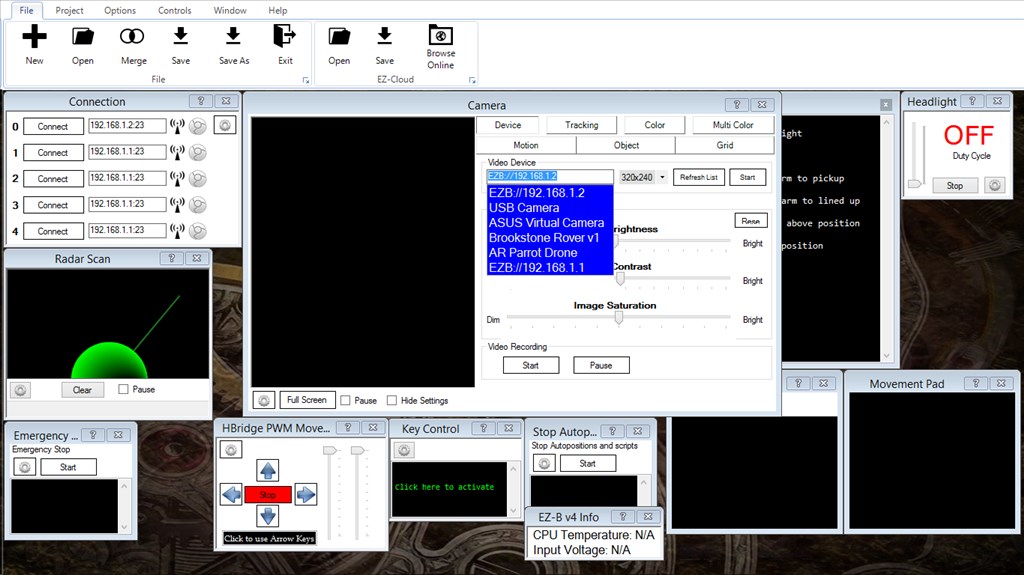
I am phyo and i have a problem connecting with Brookstone Rover V1 with ARC software it shows the error like this
19-Nov-14 11:56 PM - TCP Server stopped 19-Nov-14 11:56 PM - TCP Server stopped 19-Nov-14 11:56 PM - TCP Server stopped 19-Nov-14 11:56 PM - TCP Server stopped 19-Nov-14 11:56 PM - TCP Server stopped 19-Nov-14 11:56 PM - System.Net.Sockets.SocketException (0x80004005): A socket operation was attempted to an unreachable network 192.168.1.100:80 at System.Net.Sockets.TcpClient..ctor(String hostname, Int32 port) at EZ_B.BrookstoneRover.() at EZ_B.BrookstoneRover.Connect(RoverVersionEnum version) at ? .(Object , EventArgs ) 19-Nov-14 11:56 PM - System.Net.Sockets.SocketException (0x80004005): A socket operation was attempted to an unreachable network 192.168.1.100:80 at System.Net.Sockets.TcpClient..ctor(String hostname, Int32 port) at EZ_B.BrookstoneRover.() at EZ_B.BrookstoneRover.Connect(RoverVersionEnum version) at ? .(Object , EventArgs ) 19-Nov-14 11:57 PM - System.Net.Sockets.SocketException (0x80004005): A socket operation was attempted to an unreachable network 192.168.1.100:80 at System.Net.Sockets.TcpClient..ctor(String hostname, Int32 port) at EZ_B.BrookstoneRover.() at EZ_B.BrookstoneRover.Connect(RoverVersionEnum version) at ? .(Object , EventArgs ) 19-Nov-14 11:57 PM - System.Net.Sockets.SocketException (0x80004005): A socket operation was attempted to an unreachable network 192.168.1.100:80 at System.Net.Sockets.TcpClient..ctor(String hostname, Int32 port) at EZ_B.BrookstoneRover.() at EZ_B.BrookstoneRover.Connect(RoverVersionEnum version) at ? .(Object , EventArgs )
so how should i do it and the software version i used is latest one can u help me with this and it urgent i am doing this for my final year project
HELP ME !

Ha Ha! Only if you need to pee real bad.