

mvnd
USA
Asked
 Resolved by Nomad 6R!
Can't Connect To Camera Device
Hello,
I recently purchased a camera for my EZ-B v4 controller, but I'm having trouble connecting to it. Every time I try to connect this error message displays repeatedly:
Camera Initialized: EZB://10.0.0.56:24 @ 320x240
ezbv4 camera image render error: System.ArgumentException: Parameter is not valid.
   at System.Drawing.Bitmap..ctor(Stream stream)
   at EZ_B.Camera.aJo6NxZbaD(Byte[]  )
   at EZ_B.EZBv4Video.o4twmdwIUb(EZTaskScheduler  , Int32  , Object  )
I'm connecting to the camera in Client mode and have made sure I'm including the proper port number as suggested in this post. I've also tried re-seating the board and the camera cable as suggested in this post. I'm not really sure what else to do, or what I may be doing wrong. Is there something that I am missing?
Related Hardware (view all EZB hardware)

EZ-B V4
by EZ-Robot
EZ-B v4/2 robot controller: dual Cortex ARM, Wi-Fi, audio/video, 24 servo/digital ports, I2C/UART, camera and Synthiam ARC control for custom robots
Wi-Fi / USB
Servos
24
Camera
Audio
UART
3
I2C
ADC
8
Digital
24
Related Robot Skill (view all robot skills)

Camera Device
by Synthiam
Use PC or robot cameras for vision tracking: color, QR, glyph, face, object, motion; record video/data, control servos and movement, run scripts

Shut the antivirus off try that can't hurt This just help someone else EzAng
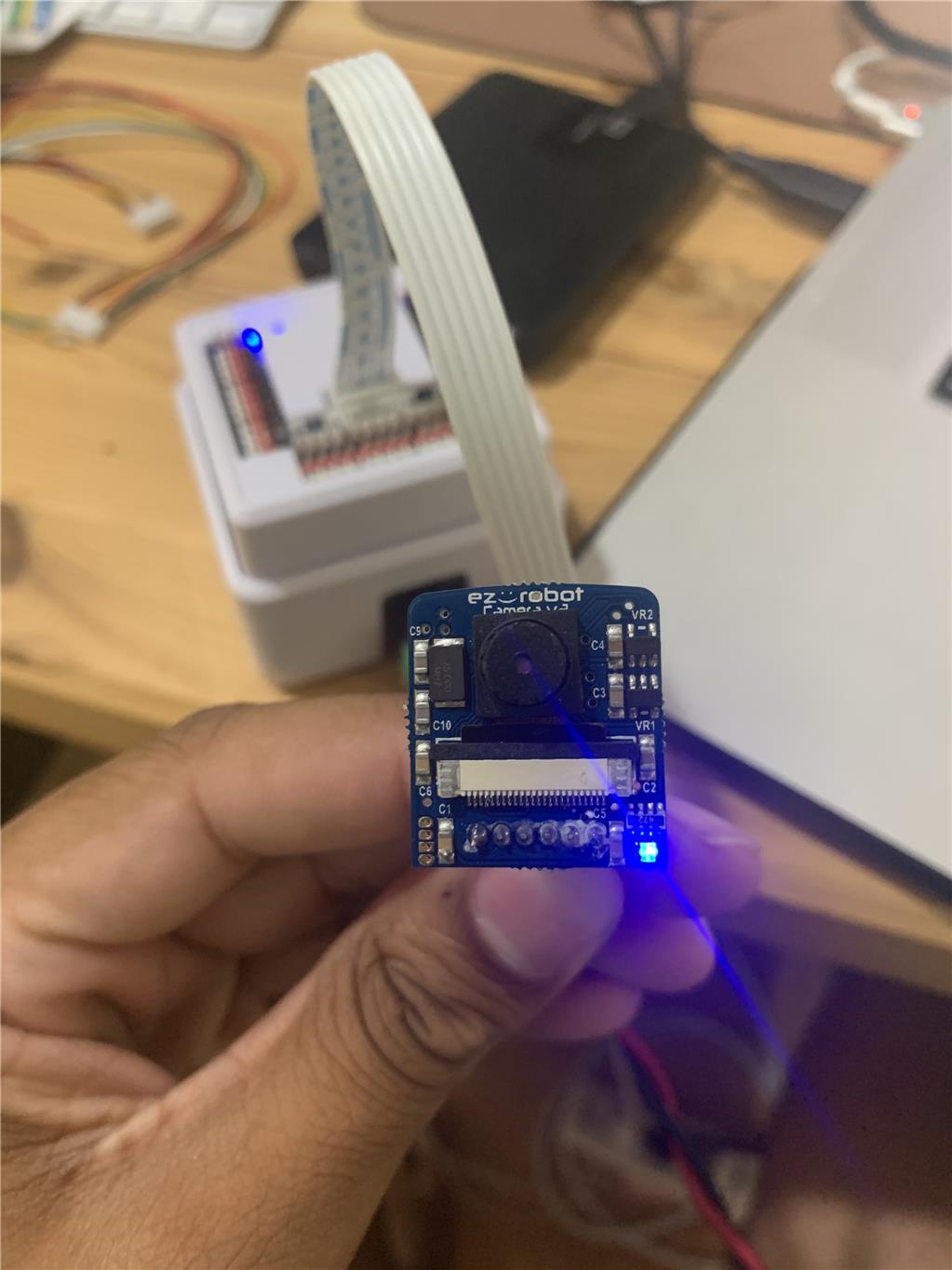
@Nomad: Yes I am. Here are some pictures of how I have it connected
@EzAng: Thanks for replying, but turning off Windows antivirus protection didnt help me :/
magnefying your picture.i see some strange stuff.
Aw man, I'm not really sure what its supposed to look like but heres a closer up picture if that helps you inspect it. Do you recommend that I purchase another camera?
how old is the camera?
you can pull in and out the cable on the camera side a few times.
it seems like pin nm 4 is od.
I just purchased the camera in July and it has been this way since I received it :/. What did you mean by "you can pull in and out the cable on the camera side a few times"?
pull out the camera cable on the camera side in and out the socket a few times.
question.do you live nearby the sea or big lake ?