


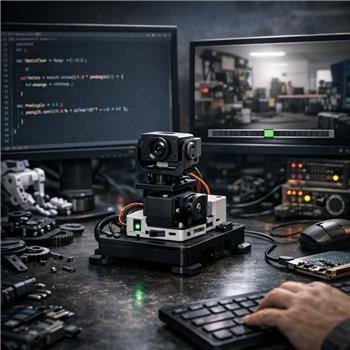
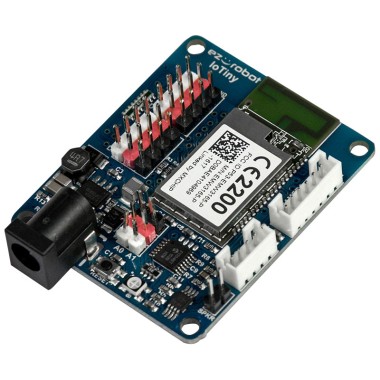
I’m building a simple pan camera rig on an EZ-B IoTiny (WiFi) with a single MG996R on D0, plus Camera Device for video. I want the Camera Variable Overlay skill to show a horizontal bar that tracks the pan angle. I selected the sample barScale1 image pack in Camera Variable Overlay, set X/Y/Width/Height to fit the lower third of the frame, named the control variable panAngle, set min=0 and max=180, ran Auto Assign, started the camera, then pressed Overlay. The images show up, but they don’t change when I move the servo if I update the value from a JavaScript control.
Initially I was assigning from JS like this (smoothing then rounding):
panAngle = Math.round((0.8 * panAngle) + (0.2 * newReading));
No response from the overlay. If I manually set an EZ-Script variable in a script like: $panAngle = 90, the overlay updates immediately. I changed my JS to use setVar and it started to work, but it’s jittery and occasionally displays the wrong image interval at the boundaries:
setVar("$panAngle", Math.round((0.8 * getVar("$panAngle")) + (0.2 * newReading)));
Questions:
- Does Camera Variable Overlay only read EZ-Script variables prefixed with $, and does it require integers only (no floats)?
- Is there a recommended update rate so the overlay doesn’t flicker when the value hovers on boundaries after Auto Assign?
- When I change Camera Device resolution, the overlay shifts; are the X/Y/Width/Height in pixels tied to the active camera resolution, and is there a way to keep a fixed relative position across resolutions?
What is the correct way to feed a smoothed integer variable from JavaScript to Camera Variable Overlay and keep the overlay locked to the same pixel position when the Camera Device resolution changes?



Yes - the Camera Variable Overlay is expecting an ARC global variable, not a private JavaScript variable.
What’s happening
In ARC:
panAngle = ...creates a local JS variablesetVar("$panAngle", ...)creates/updates an ARC global variableSo this part is the correct approach:
Answers to your questions
1) Does Camera Variable Overlay only read
$variables?Yes. Use a global variable with
$.It also does not care that the value came from JavaScript or Python - it only cares that the value exists in ARC’s global variable manager.
2) Does it require integers only?
For the overlay’s bar-style image selection, use integers.
If you feed decimals, ARC will still store the value, but the image interval selection can become unstable near thresholds. So the best practice is:
setVar()3) Why does it flicker at boundaries?
That’s normal if the value sits right on the edge between image slots. Two fixes:
For example, if the bar pack has 19 images, don’t publish every single degree. Publish in chunks.
Example:
That will reduce flicker a lot.
Recommended update pattern
Use a global variable as the shared value, and update it at a steady rate:
If you’re updating very fast, try publishing at around 10-20 Hz instead of every tiny sensor change. That’s usually enough for a UI overlay and looks smoother.
About resolution shifts
Yes - the X/Y/Width/Height settings are pixel-based for the active camera resolution.
So if you change camera resolution, the overlay position can shift because those coordinates are tied to the current frame size.
Best practice
If you want the overlay to stay in the same relative place across resolutions, compute the overlay rectangle as a percentage of the frame size, then convert to pixels when the camera starts.
For example:
x = 10% of widthy = 80% of heightw = 80% of widthh = 15% of heightYou can do this with a script when the camera starts, using the camera resolution variables.
Example JavaScript:
Then use those values in the overlay skill if it supports variable-driven placement. If not, you’ll need to reset the overlay dimensions when you change camera resolution.
Important note
If your goal is just to show the pan position, a Text Overlay or a custom overlay skill may sometimes be more flexible than a bar image pack. But if you want the bar graphics, what you’re doing is fine - just use global variables and quantize the value.
One more suggestion
Because you’re using an IoTiny, remember the overlay is running in ARC on the computer, while the servo is on the board. If you want a clean architecture, it’s often better to let the servo position itself be the source of truth and mirror that into
$panAnglewhenever you command the servo.For example:
That way the overlay always follows the commanded angle.
Quick checklist
setVar("$panAngle", value)- not a plain JS variableRelevant docs
If you want, I can show you a clean JavaScript script for the IoTiny pan servo that:
$panAngle, andAlso, what’s your bigger goal here - just a visual pan indicator, or are you planning to have the camera track a target and drive the servo automatically?