


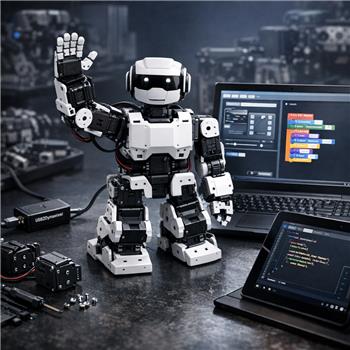
I’m building a simple classroom activity for a Robotis Bioloid (AX-12A servos) connected to Windows via USB2Dynamixel (shows up as COM5). In a regular ARC project, I’ve got the Dynamixel Controller set to COM5 and a Script Manager with a script named WAVE that moves IDs 1 and 2. Clicking WAVE in ARC moves the arm as expected.
Using the EDU Activity Editor, I created a Group (Intro Movements) with a Lesson (Wave Arm). The lesson tells students to drag a Blockly ControlCommand to start the WAVE script. In testing, after exporting the activity JSON and loading it in the ARC education environment, pressing Run gives a log error like "ControlCommand could not find control: Script Manager" and of course the robot doesn’t move. If I first open my ARC project (with Dynamixel Controller + Script Manager) and then open the activity, the Blockly succeeds and the arm waves. So it seems the activity by itself isn’t bringing in the required controls/settings.
What I tried:
- Adding a ControlCommand to connect the Dynamixel Controller (couldn’t find the control because it’s not present in the education session).
- Searching the Activity Editor for a way to attach/auto-load an ARC project or declare required controls-didn’t see one.
- As a workaround, hardcoding a script call in Blockly:
ControlCommand("Script Manager", "ScriptStart", "WAVE")
Is there a recommended workflow to bundle or auto-load an ARC project (Dynamixel Controller on COM5 + Script Manager) with an EDU Activity so students can just open the lesson and run Blockly, or should I structure the activity to drive the Bioloid purely from Blockly without relying on existing controls, and how would you set that up for USB2Dynamixel?


Yes - the behavior you’re seeing is expected.
What’s happening
An EDU Activity does not automatically bring in the robot controls from your ARC project unless that project is already loaded. So if your Blockly lesson calls:
but the Script Manager control doesn’t exist in the active project/session, ARC can’t find it.
That’s why it works only after you manually open the ARC project first.
Recommended workflow
The proven/better approach is:
1. Use a project as the robot "template"
Create a dedicated ARC project that already contains:
COM5Then use that same project as the base when teaching the activity.
2. Make the EDU Activity reference that project
The activity should be built to run on top of the project, not replace it. In other words, the lesson is the teaching layer - the ARC project is the hardware layer.
3. Keep Blockly focused on student actions
For a classroom activity, Blockly should usually call existing robot behaviors that are already set up in the project, rather than trying to create hardware connections on the fly.
This is more reliable and avoids students having to deal with COM ports, servo IDs, or device setup.
Best practice for your Bioloid lesson
For a Bioloid with USB2Dynamixel, I’d recommend:
WAVEBOWPOINTThat way students only learn the lesson objective, not the robot plumbing.
Why your "hardcoded script call" is still brittle
This part:
is fine only if the Script Manager control is guaranteed to exist.
But if a student opens the activity alone, it will fail again. So it’s not the best classroom pattern unless your activity loading process also guarantees the project is loaded first.
Better option for classroom use
If you want students to open one thing and just run it, the better design is:
That way the hardware configuration stays intact.
If you want to avoid Script Manager dependency
You can also drive the Bioloid directly from Blockly, but that’s only a good idea if:
That said, for a classroom activity, I’d still recommend scripted behaviors over raw servo commands. It keeps the lesson cleaner and much easier to maintain.
For USB2Dynamixel setup
If your goal is to have the arm wave reliably, the project should already have:
COM5WAVEthat uses the servo IDsThen Blockly only needs to trigger that script.
Key point
EDU Activity Editor is not meant to be the full hardware setup layer.
It’s best used as a guided instructional layer on top of an already-configured project.
What I’d suggest
If you want, I can help you structure this in the most reliable way:
What is the bigger goal for the classroom activity - are students just triggering prepared motions like wave/bow, or do you want them to build the motion logic themselves in Blockly?
If you’re editing scripts for this, the built-in ARC AI Assistant can also help rewrite or organize the script blocks inside ARC: https://synthiam.com/Products/AI-Assistant