
Any suggestions on how can I alter the ar drone control code on ARC?

Abdun Nafay
Pakistan
Asked
— Edited
 Resolved by Rich!
2 Participants
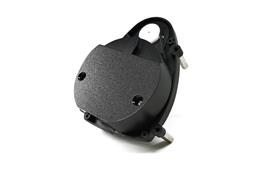 Hitachi-LG LDS Lidar
— Hitachi-LG LDS 360-degree LiDAR driver streaming scans into ARC NMS for obstacle detection, SLAM use, Arduino hookup, config options and variables.
Try it →
Resolved by Rich!
Hitachi-LG LDS Lidar
— Hitachi-LG LDS 360-degree LiDAR driver streaming scans into ARC NMS for obstacle detection, SLAM use, Arduino hookup, config options and variables.
Try it →
Resolved by Rich!
Any suggestions on how can I alter the ar drone control code on ARC?

You can't. ARC is not open source.
oh okay. But is it possible to configure by writing an ez script which controls the ar control panel?
Sure as long as your AR Drone is version 1... ARC does not currently support version 2
great! @Richard any suggestions on how to select the takeoff button via an ez script?
Apparently it works for the movement but doesn't work for the camera.
Provided the Movement Panel for the AR Drone works for whichever drone version you have then yes, you can script the movements with EZ-Scripts using the Forward() Reverse() Stop() Left() and Right() commands. There are also AR Drone specific EZ-Script commands available including Up() Down() RollRight() RollLeft() Land() TakeOff()
Have a read of the EZ-Script manual, search for the word "drone" and it takes you to the commands.
Thanks alot @Rich and @Richard !
:)