





Alternative To Ezrobot Ezb For Robot Head Project
My course has primarily focused on robotics projects using the EZ-B controller and a camera for real-time interfacing. With recent developments, I am planning to create an additional video that incorporates Synthiam's support for other types of controllers. Although I've successfully flashed an alternative controller, it lacked compatibility with camera integration and Wi-Fi capabilities. The absence of an onboard computer limits the use of a USB camera, posing a significant challenge.
This dependency on specific components like the EZ-B, IO Tiny, and cameras can be problematic. For my course project, Mecha Morphix, which involves controlling five servos, the Arduino Mega seems excessive. I am in search of a suitable controller, compatible with Synthiam ARC, that includes both Wi-Fi and camera support to effectively replace the EZ-B.
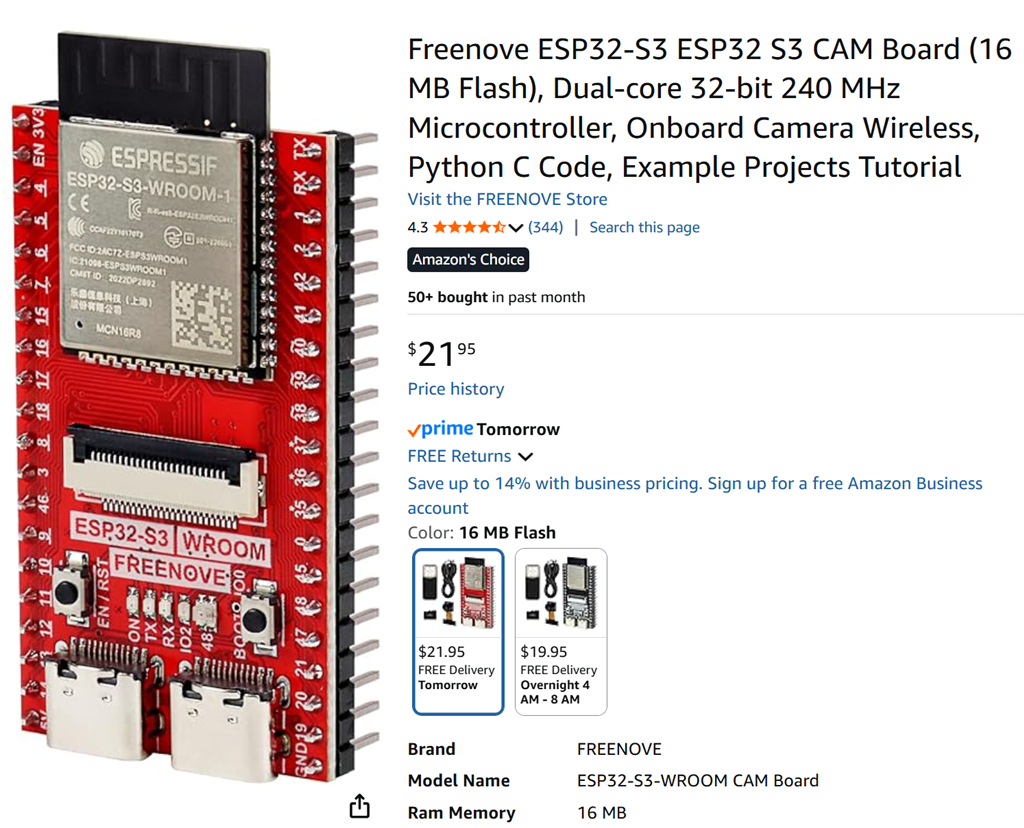
I noticed that the ESP32 with a camera is listed among the supported controllers for ARC. Has anyone experimented with using the ESP32 in conjunction with a camera for such applications? Any insights or experiences would be appreciated.
Related Hardware (view all EZB hardware)

Related Robot Skills (view all robot skills)


Yup i had the same error. Had to 0xff that pin. So bye bye to port D1, still leaves 5 servos.
So had a quick play couldn't get camera to work just kept getting time out error. I have selected the CAMERA_MODEL_WROVER_KIT
Error in ARC is Camera Initialized: EZB://192.168.1.1 @ 320x240 EZ-B v4 Camera Error: Unable to read data from the transport connection: A connection attempt failed because the connected party did not properly respond after a period of time, or established connection failed because connected host has failed to respond. Camera Disabled
Serial Monitor Client cam connected from 192.168.1.2 WARNING: Camera frame size is 0. No image data to send. CAM Client disconnected Waiting for cam client..
Tried in both AP and Client Mode
OK Camera working now. I have all my Servos 0xff out so I guess I reenable a couple now and try a servo
Ok thats good!
Hooked up a servo. It is rather choppy with the manual horizontal or vertical servo panels. Turn off the camera works fine. Script the servo position you want it to move or use the servo Movement Panel it seems to work ok with the camera running. I suspect what is happening is the camera is using all the bandwidth from the Arduino to ARC so the stream of instructions as you manually move the servo get delayed as they wait for time to send the next position. Maybe changing the way the Horizontal and Vertical manual servo panels work so it only sends the final position when you stop moving or try UDP instead of TCP to send next position. Not sure.
I didn't try multiple servos at once as I don't have a fancy board to plug the ESP in just a bunch of jumper wires hanging off pins.
Ok yup same results I have.
I’m just going to separate the camera and use another ESP32 for the servos and students will need two Wi-Fi enabled devices for their computers. If they choose to go down this cheaper route.
Thanks everyone nice try, moving on.
Speaking of fancy board, the break out board from Freenove for our esp32 boards breaks the board when plugged into it. It stops broadcasting SSID and flashes yellow in some kinda loop. Glad all this stuff is cheap.