





Alternative To Ezrobot Ezb For Robot Head Project
My course has primarily focused on robotics projects using the EZ-B controller and a camera for real-time interfacing. With recent developments, I am planning to create an additional video that incorporates Synthiam's support for other types of controllers. Although I've successfully flashed an alternative controller, it lacked compatibility with camera integration and Wi-Fi capabilities. The absence of an onboard computer limits the use of a USB camera, posing a significant challenge.
This dependency on specific components like the EZ-B, IO Tiny, and cameras can be problematic. For my course project, Mecha Morphix, which involves controlling five servos, the Arduino Mega seems excessive. I am in search of a suitable controller, compatible with Synthiam ARC, that includes both Wi-Fi and camera support to effectively replace the EZ-B.
I noticed that the ESP32 with a camera is listed among the supported controllers for ARC. Has anyone experimented with using the ESP32 in conjunction with a camera for such applications? Any insights or experiences would be appreciated.
Related Hardware (view all EZB hardware)

Related Robot Skills (view all robot skills)


I also bought one of these to making testing easier next time
I got one....but useless at the moment..but it sure has alot of perdy lights on it.
One thing to take note is the pin assignments between ESP32 and ESP32 S3...its weird because it lists pin numbers for both type boards..and easy to get confused like i did.
Ok I need to know exactly the board and camera you chose in the IDE.
I got my carbon copy of your board today. I started with AI thinker for camera and board. The board would have great camera results but when I'd stick a servo on there ( with external power) it moves slow and jittery like my video at the beginning of the thread(yes i shared a ground and tried all pins). I removed pin 4 as you stated and the IDE said it was sharing with camera. Other board choices like Wrover wouldn't show up in my Network and serial monitor said it waiting for the client after starting the server....and would just hang....
So all and any info you can give as to exactly what you used and the results you got would be helpful now we have the same board. Then we would be golden.
The one time the camera and network were working i stuck into the expansion board..and well it just stopped the network server and flashed...so i dont have hope for that (test) board at all...
It's not an AI Thinker. It is a WRover ESP32. You do not uncomment AI Thinker. You do not uncomment anything other than WRover because it is a Wrover. I'm also editing your post to remove unnecessary bolds and underlines . If you're upset, direct the frustration toward someone who isn't helping you lol
You cannot just "stuck" a computing device into a PCB and expect it to work while it's powered on. There is no such thing as plug in play while the device is powered on. Also, i can't test what you're experiencing with that PCB because i don't have it yet. Things take a i bit longer in Canada to ship from amazon.
Power down and disconnect from the esp32 before connecting it to the pcb. don't just stick it in while it's working.
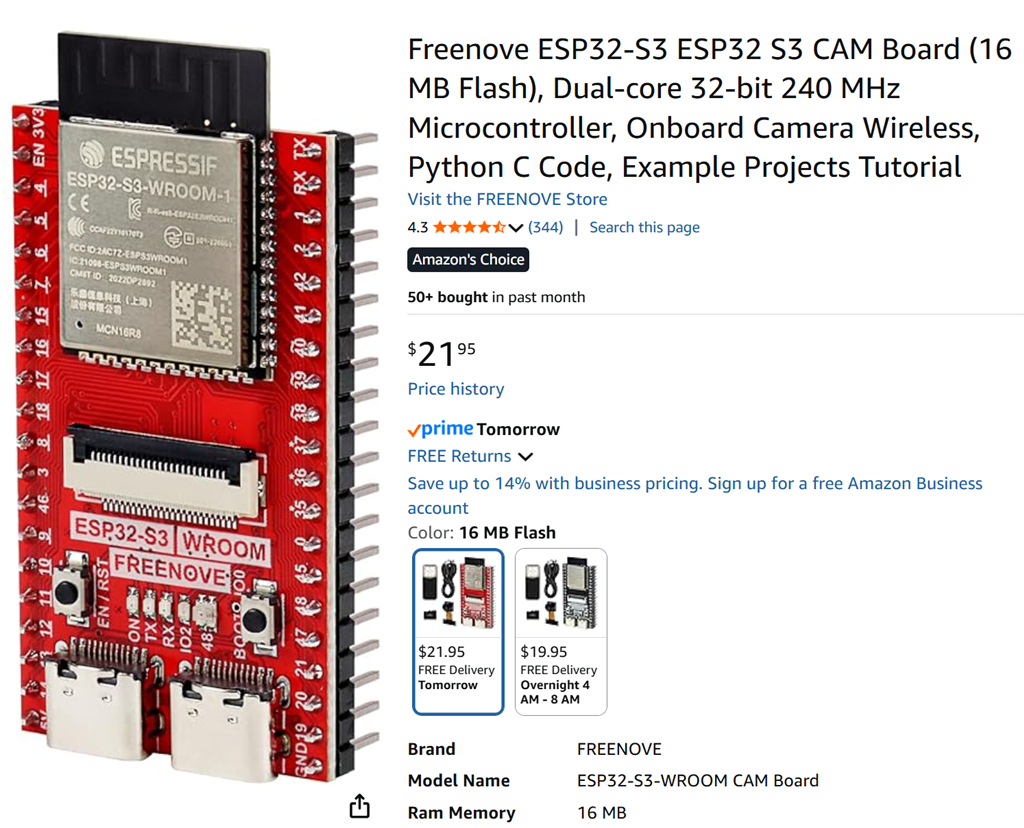
*edit: here's the link to the device i ordered: https://www.amazon.ca/dp/B0CJJHXD1W
Mine just turned up.
ill have a play.
@nink, Please leave your results here. This is the same board I have. I used Wrover board and Camera Model Wrover kit camera. Camera prolly 30 frames a sec and servo signal connected pin 14 (D3), power and ground external and sharing ground. Ver 10 of the ESP32 Cam firmware. servo moves with 10 sec delay. slow and jerky.
OK just got an error in serial monitor so I changed #define Y2_GPIO_NUM 4 to 36 (I need to work out a vacant pin just wanted to get past this)
ERROR: Pin conflict detected. ARC_TO_ESP_DIGITAL_PIN_MAPPING[D1] uses GPIO 4, which conflicts with camera pin Y2_GPIO_NUM. Change your ARC pin mapping to a non-camera GPIO.