





Just wondering how the servos auto position. When you plug them in do they centre? or do you have to do it manually? if manually, please tell me how.
Preparing for my wall-e project. Hope i'm not hoging the forums!
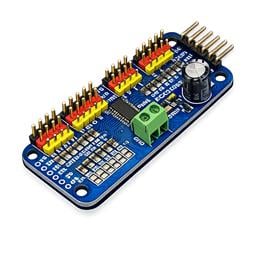 PCA9685 Servo Driver
— Drive 16 servos over EZB I2C with a PCA9685 PWM controller, using ARC servo commands and hardware-timed outputs.
Try it →
PCA9685 Servo Driver
— Drive 16 servos over EZB I2C with a PCA9685 PWM controller, using ARC servo commands and hardware-timed outputs.
Try it →
Just wondering how the servos auto position. When you plug them in do they centre? or do you have to do it manually? if manually, please tell me how.
Preparing for my wall-e project. Hope i'm not hoging the forums!

A servo moves into the position you specify. If you specify position 13, it moves to 13
Every control has a ? (question mark) next to the X (close) button. If you press the ?, you will be directed to a tutorial page that explains how to use the control. There is a video for almost every control. The servo controls tutorials, and Auto Position control tutorial will give you more information on how they work
It's good to know that a servo simply moves into the position that you specify.
Auto Position is not just for centring, you can use it to build frames for animations, such as moving arms up or down, wiggling fingers, facial expressions etc.
As far as I know you can add all 20 digital ports.
To centre all servos use the servo calibration script (attached)ServoFullRangeWarmup-634899825363427735.ezb
LOL Rich, we're always seconds away from each other replying to questions