





This only happens on ez-robot.com.
I press the quotation mark button and it puts an è. È when I press shift.
I havenèt changed any settings in my computer so it seems to only be ez-robot.
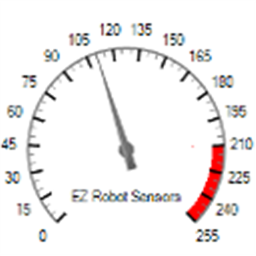 EZ Gauge Chart
— Dashboard-style configurable gauge chart with red-zone indicator, adjustable range/arc, scale ticks, title and live value updates.
Try it →
EZ Gauge Chart
— Dashboard-style configurable gauge chart with red-zone indicator, adjustable range/arc, scale ticks, title and live value updates.
Try it →
This only happens on ez-robot.com.
I press the quotation mark button and it puts an è. È when I press shift.
I havenèt changed any settings in my computer so it seems to only be ez-robot.

Checked it. ites on US and it is only on Ez-robot.com
There is no way for a web page to change your keyboard layout...
Control Panel -> Regional and Language Options -> Keyboards and Languages -> Change keyboards -> Click on English (Canada) and click Remove. Make sure that English (US) becomes the default.
If that doesn't do it Press left control and right shift
If that still doesn't do it Control Panel ->Regional and Language Options ->Administrative Tab -> Change your system locale to US.
Rich
it doesnet do it in microsoft word, wordpad, notepad, or paint.
I can google anything fine.
another forum iem on doesnet do it either
So Iem pretty sure ites ez-robot.
There must be some setting in your browser that was accidently clicked on. Maybe a property that sets this website to be French for you
What browser are you using? Does it do it on other browsers too? If it's Chrome check the language settings in the settings, advanced setting, Language and input settings.