
I'm trying to play the tones that in the scripting list like C1,D1,E1,F1 they are at the bottom in script help how do I play them I think it's through a digital port but not sure please help

j_snake_2000
USA
Asked
— Edited
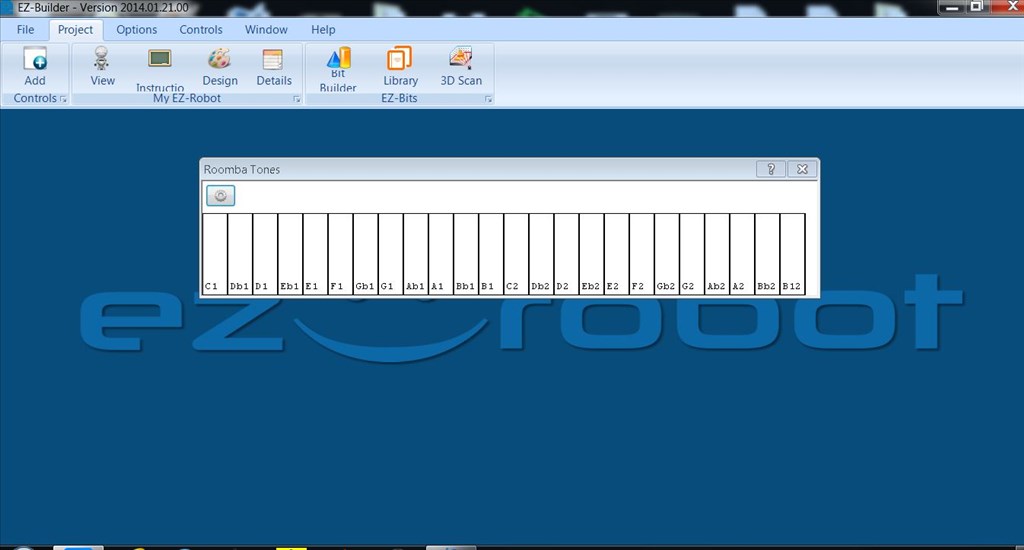

I believe playing of tones was removed from ARC and EZ-Script some time ago.
@j_snake I am thinking that the tones are created thru a "command script" and are heard thru the PC's sound system. I have checked the examples in the couldn't find any thing with music notes Have you tried to create any scripts? I know Rich has many Script tutorials on this forum. A quick search will get you many examples....best I can do for now!
@Rich ...Thanks Rich I just tried to create a script "G1" as a variable and to say $G1 to no avail....I suppose that means to play a note a person would have to create a mp3 or wav file and add it into a sound board control?!
A quick search found this..... a pretty simple circuit that PWM in the EZ can easily do!
Tone output circuit
Those notes may be part of the Roomba code for generating music from the Roombas own speaker.
@ Robot-Doc, you might be onto something...So Roomba("C1") Port (0) have to see what the Roomba owners say!
Roomba commands are; Init EnableSensors DisableSensors PowerOff SpotClean MaxClean DisableAllBrushes MainBrushOn MainBrushOff SideBrushOn SideBrushOff VacuumOn VacuumOff SeekDockingStation
As far as I'm aware there are no commands for the tone on the roomba.
I know it was mentioned a while ago that DJ was thinking about removing the tone control. There used to be a control for a speaker which has gone so I presume the tone command in EZ-Script also went. I assume the references to the tones in the help are left over and have been missed.
The Roomba tone panel is still installed and the notes on the help menu seem to match. It may be used somehow with the send serial command.