




I wired up the controller per DJ's instructions. It's getting power. The little light is on but nothing happens.
Any ideas? Troubleshooting techniques?
 Smart Variable Watcher
— Efficient ARC Variable Watcher - lower CPU for large projects; slow initial array render but faster updates; shows name, type, value, length
Try it →
Smart Variable Watcher
— Efficient ARC Variable Watcher - lower CPU for large projects; slow initial array render but faster updates; shows name, type, value, length
Try it →
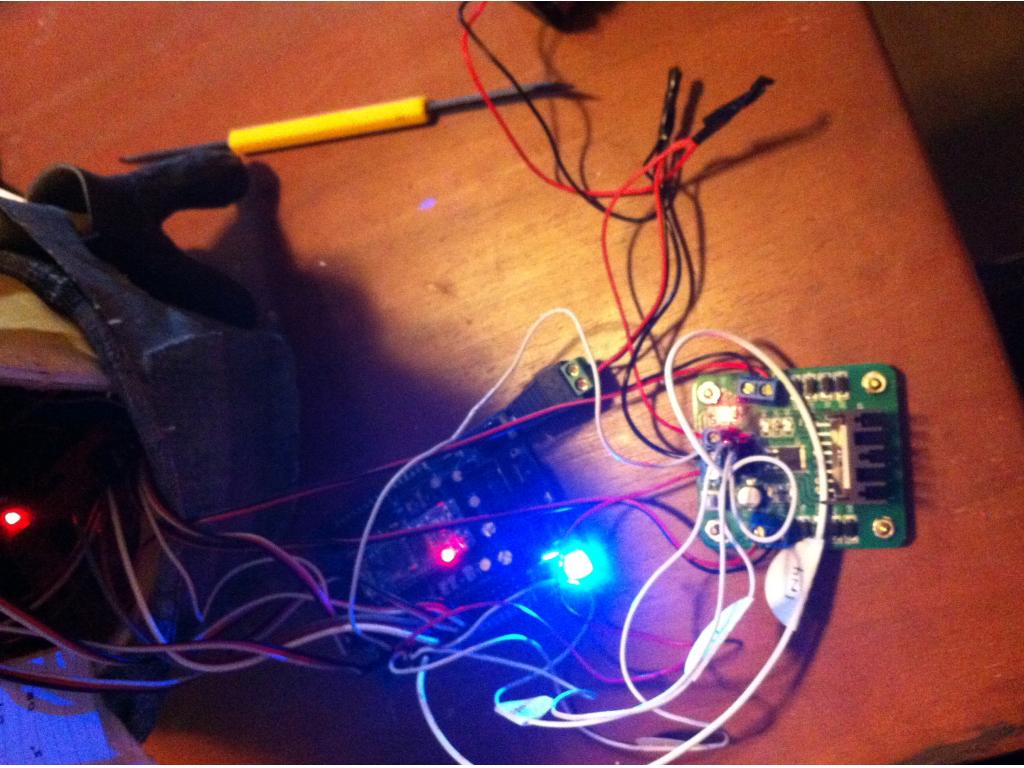
I wired up the controller per DJ's instructions. It's getting power. The little light is on but nothing happens.
Any ideas? Troubleshooting techniques?

Yea the ground from port , should also be connected to.the ground on your power source. I have 4 of these controllers but I have not had and strange issues.... Yet lol
So ground that comes from the board I should put a y shape wire and connect to battery and then other to ez b?
Be sure the lil push button on the motor controller is off if your connecting the 5v to the EZ-B. I had the run away motors when it accidently got turned on.
ps Yes, put a 2nd wire in the motor controller's ground terminal, connected to a EZ-B Gnd pin.
Yes ground from ezb and also from battery
ok now attached ground to ez-b as well. Still no such luck but if I touch it (not sure how) it moves a bit.
Hmm something must be loose , a bad solder connection maybe , the fact it only works when you press on it is weird.
Yeah.... Poopie.... You hear it engage a bit when it's plugged in too.
I keep hopeing that you guys come up with something. I am dead in the water. Is there a way to test to see if the white switch is on or off. It dosn't seem to make any difference but I thought it would be nice to kown.